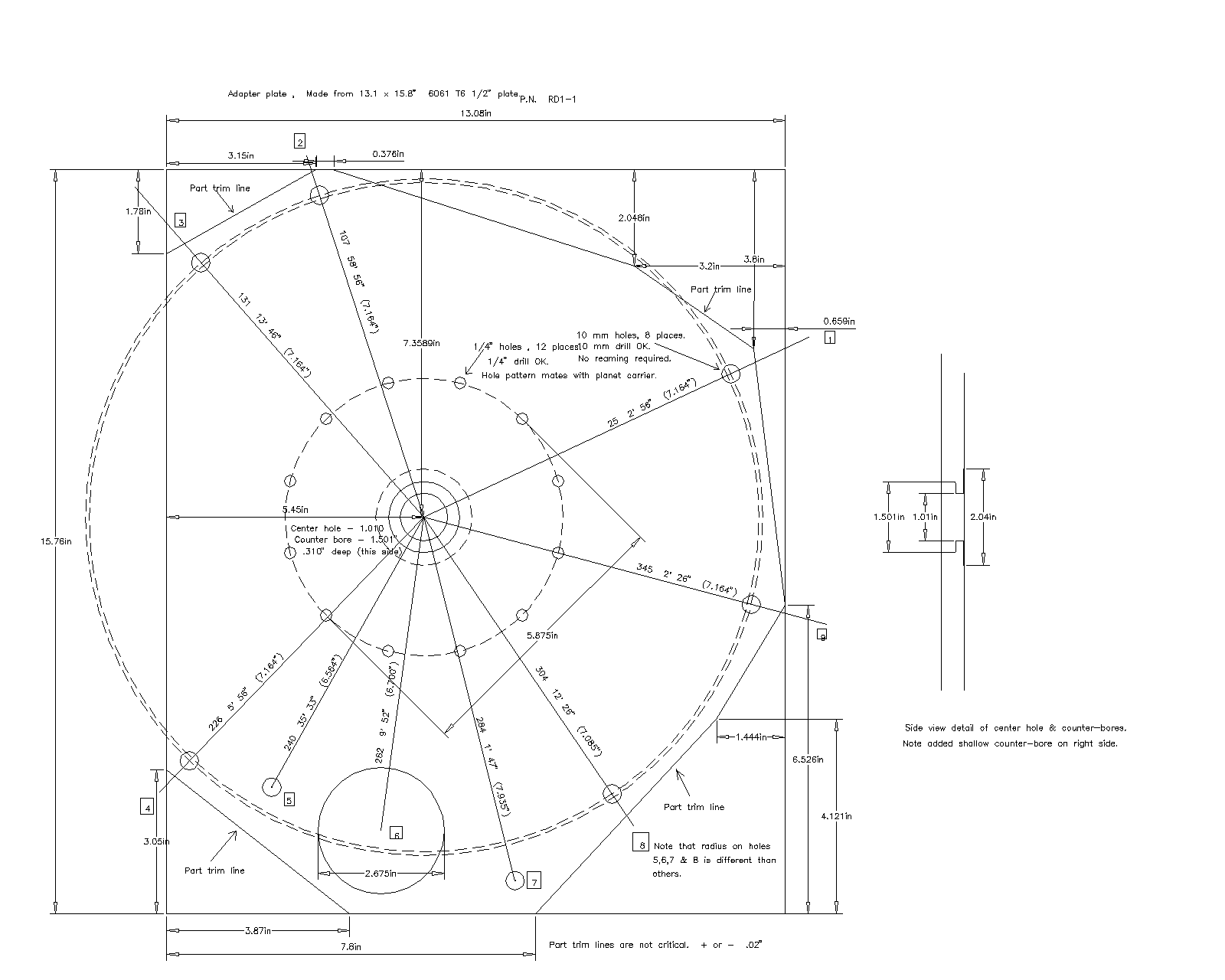
Thanks Chuck.
OK we are getting there. Everything came across except the dimensions
and the text. ACAD R12 gave me an error. It could not find the
font I think Tracy specified namely "TIMES.SHX"

Butch, is this a font I can obtain somehow? What is the
default font in R12?

Here are the ACAD R12 fonts that I have. Check TurboCad and
see if any of these
are listed. Also perhaps you can change the fonts after the drawing is
made, save it again and re-send it.

Here also is the gif. Looks like Tracy has some garbage here
and there. Must
be on some hidden layer.

Paul Lamar
Paul you are right, this can get complicated. Looks like the first DWG file
I sent used True Type fonts which were used on Tracy's original drawing. I
suppose either Autocad or your computer does not support True type so I
converted all the text to romans.shx which is on your font list.  I shrunk
the size a little to make it look right. Perhaps you can fine tune it.
I am sending you an "evaluation" copy of TurboCad v7.1 to try if you have a
Windows computer to install it on.
I got the O rings OK, thanks! I will try to install them next chance I get.

Chuck Dunlap

Oops forgot the file!
Finally. That worked great. Thanks Chuck for all your work on this.
I had to reconfigure my ACAD R12 "plot to file" to 1600 by 1200 pixels.
Now if we could only talk Tracy into using larger text and dimensions
life would be much much easier. Tracy, if you can read it on your
screen zoomed out to the entire drawing size then we can read it as a gif.
This will facilitate discussing things as opposed to having just the drawing
file. Not to mention that not everyone has a CAD program of any kind
let alone TurboCAd.

Paul Lamar

The AirCraft Rotary Engine NewsLetter.              Powered by Linux.
ACRE NL web site.
http://home.earthlink.net/~rotaryeng/            http://www.linux.org