Blake,
This is turning into a nightmare.
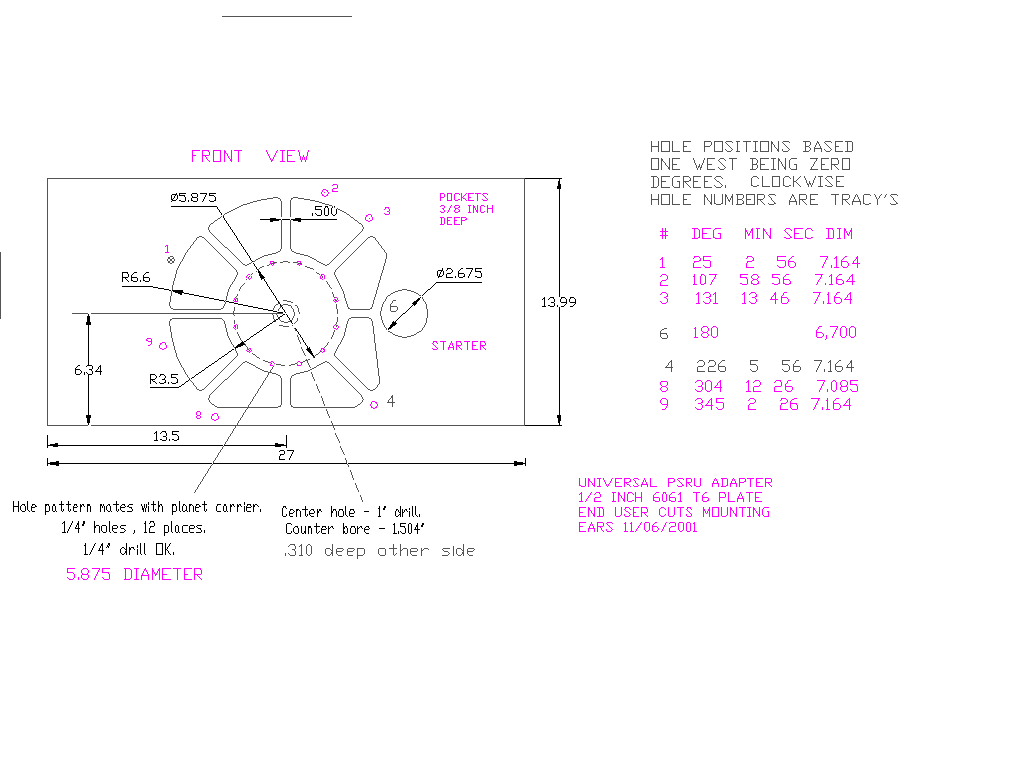
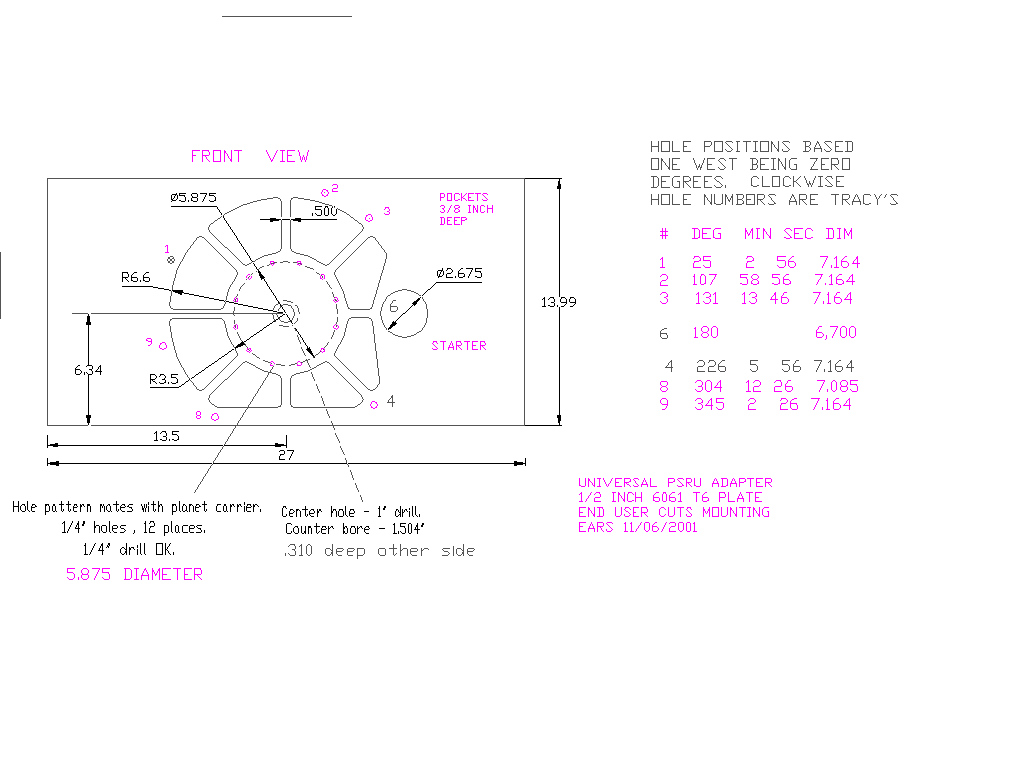
Don't drill the 10 mm holes. I am not sure where they are.

I used the "point" command in ACAD R12 to place a point according to Tracy's
angle and radii. I then drew a line from the center using the "center" snap
and the "nearest" snap to the point. The line did indeed go through
the point when you zoomed way in on it. I then used the "angle" dimension
to measure the angle of the line and it came out at least one minute off every
time. That is not much at this radius but it is 3 thou (.003) off
in the Y direction.

I also noticed that the 180 degree line was off one minute if you drew
the line from the origin using the ortho function. This perhaps
is the root of the problem in ACAD R12 but I think not.

Butch, do you know about this ACAD R12 bug?

I tried converting Tracy's angles, minutes and seconds to decimal
degrees and plotting the points again using the "point" command.
Same results. Apparently there is a serious bug in ACAD R12 or
the floating point calculations in the processor I am using.

I will try this in ACAD R 11 and see what happens.

I would not use those 10 MM hole positions on the drawing as the gospel
truth. Perhaps you can tweek the NC tool G code to Tracy's angles.
In any event I can use Tracy's plate to match drill the 10 MM holes.

I corrected my mistakes in the angle table for hole number four  and changed
the hole numbering system back to Tracy's hole numbering system.

The dwg, iges and dxf are in the attached zip file.

Paul Lamar

The AirCraft Rotary Engine NewsLetter.              Powered by Linux.
ACRE NL web site.
http://home.earthlink.net/~rotaryeng/            http://www.linux.org