AutoCAD 2000 -two ways to go.
First is to creat a JPG plotter:
-TOOLS
-WIZARDS
-CREATE PLOTTER
-RASTER PLOTTER
-select JPG format raster plotter
-when in plotter configuration menu set it up for 800x600 resolution
-good for conventional plotting
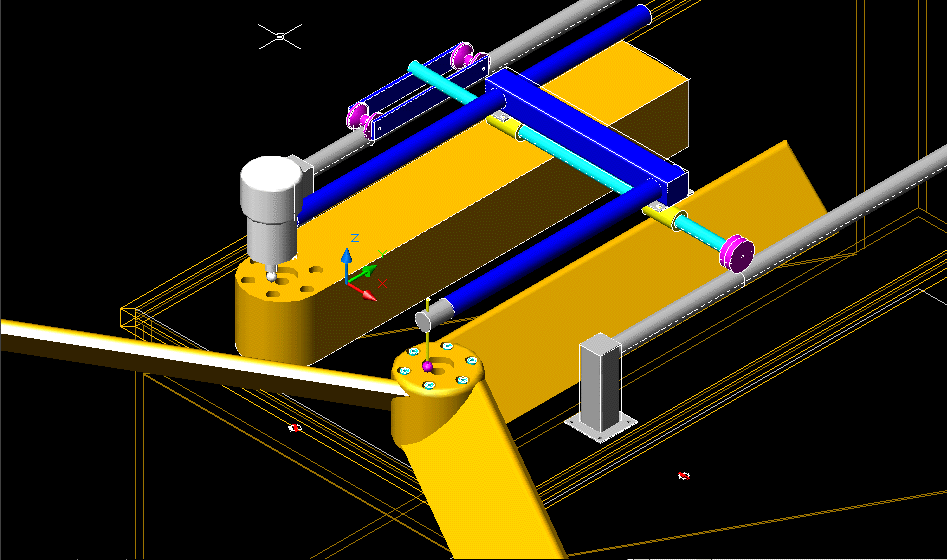
Second way if you have a decent photo/drawing package like Adobe Photoshop, this is best for things like solids rendering etc (see attachment)
-get image you want on monitor
-hit Prt Scr key (upper right of your keyboard)
-go to PhotoShop and hit CTRL V to paste image
-select portion of image you want to keep (minus the screen menu portion)
-hit CTRL C to copy
-hit FILE, NEW (photoshop will automatically open drawing size correct to selected area)
-EDIT, PASTE
-FILE, EXPORT, GIF
-Voila you have a GIF, works good for 3D renderings.
...Chrissi

 [Image]
Thanks for the help Chrissi.

Paul Lamar

The AirCraft Rotary Engine NewsLetter.              Powered by Linux.
ACRE NL web site.
http://home.earthlink.net/~rotaryeng/            http://www.linux.org