finally!
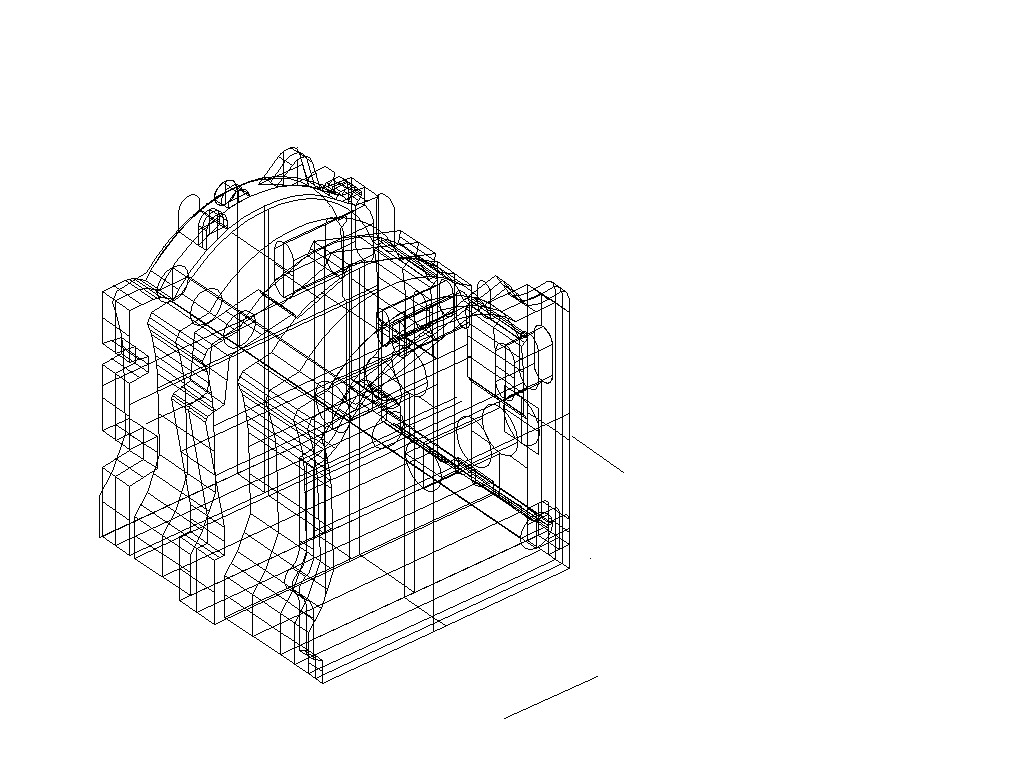
Someone else understands how nice solids are! Attached is a .dxf file of a
13b turbo block. It is close enough for rough work. I didn't use a cmm or
digitizer, just graph paper, trace, and enter, so it's not dead nuts, but it
is pretty close. The .dxf file will be 3D wireframe only. I exported for
AutoCAD 12, if you have a newer version let me know and I will export a
better solid or suface model. I have been too busy to add all the bolt
holes, front cover, turbo etc. Hope somebody can get some use out of it.

Monty
This is what I got when I loaded it into ACAD R12. What do I do now
to make it look like a 3D model? Which buttons do I push?

Paul Lamar
attached is JPG of Monty's work
Paul, been a long time since R12.
I do not use the pull downs much so have to do this from memory.
OK, type in commands that are in all caps, every command is followed by a return.
-Z
-E
-DVIEW
-C (rtrn)(then pick corner and diagonal corner to select whole object) (rtrn)
-CA
-then move mouse around to view object in 3D

that should get you started.
Monty, I am using 2000, bring it on.
...Chrissi
The AirCraft Rotary Engine NewsLetter.              Powered by Linux.
ACRE NL web site.
http://home.earthlink.net/~rotaryeng/            http://www.linux.org