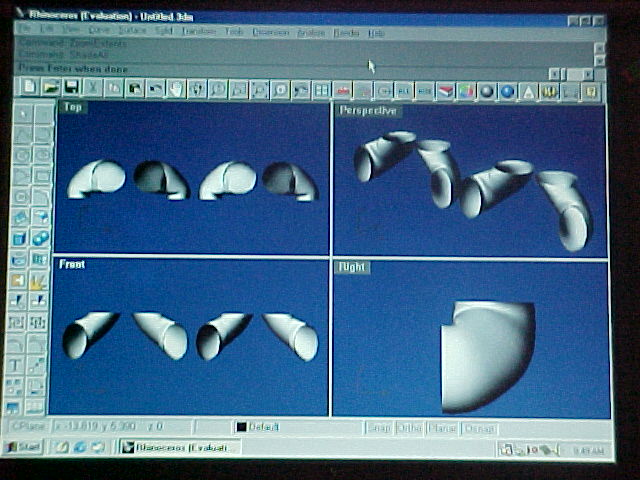
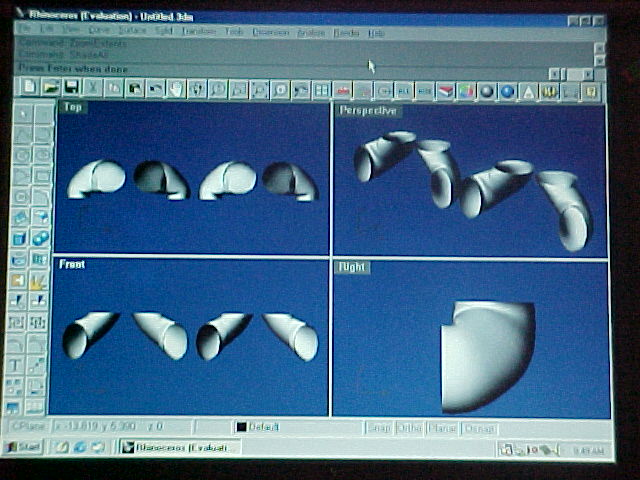
The facts and the key in Rhino & 3D are:

A: A circle in one view is a line in another.

B: A move in one view is not necessarily a move in
another view.

C: A rotation of a line that represents a circle in one view
is an ellipse in another.

Seemingly obvious but very profound and to me, rather obscure.
I did not see the light until I verbalized this.

It helps if you think about this and understand it
before you start.


I used only six commands in Rhino to make this illustration.

1.Draw a circle or an ellipse.
2.copy
3.move
4.rotate
5.loft.
6.shade

There are some details that I think I can help you with
if you want to try your hand at this.

Paul Lamar

The AirCraft Rotary Engine NewsLetter.              Powered by Linux.
ACRE NL web site. Copyright 1998-2002 All world wide rights reserved.
http://home.earthlink.net/~rotaryeng/            http://www.linux.org