<snip>
The problem with this stuff is we are working in 2D. The real world
is six degrees of freedom. Pitch, roll, up, down, left & right.
We need a joy stick that you could twist. You could grab a bulkhead
and twist it or rotate it as well as moving it around.

Heck in the old days we would use the cursor keys for translation
and a couple of other keys for rotation.

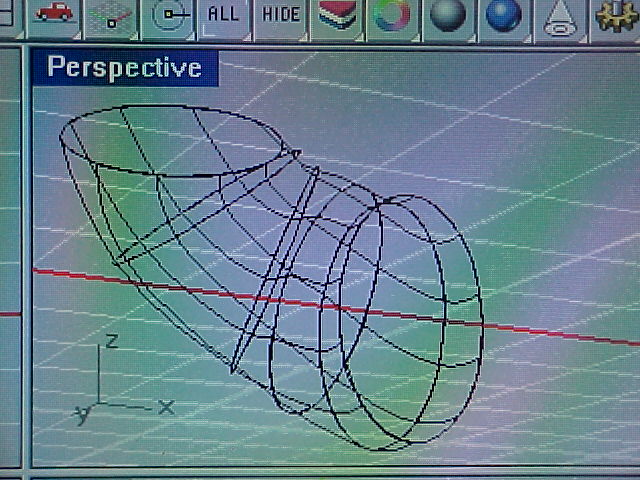
So far I have not been able to find out how to move a bulkhead once
it is in a wire frame.

Paul Lamar
Ahh grashoppa, If you quest for knowledge, you shall find it:

http://www.3dconnexion.com/products/Classic.htm

6 DOF as requested. Should satisfy your wildest positioning whim. Mine works
quite well with Rhino. If you want to move the wireframe in 3D space just
use the move command. Or if you wish for multiples, use the copy command, or
if you want to make big or small versions use the scale command either
symmetric or asymmetric. It also depends on whether you are talking about
moving the view point, or actually moving the part relative to the origin.

If you have your mouse configured properly, you can hold down the right key
and rotate the model with your mouse. Hold down the middle key and the right
key simultaneously and it will translate the model. If you only have a two
button mouse, holding down the shift key and the right key will translate
the model. I also think you can use arrow keys, I never do so I can't help
there.

I'm not sure what you mean about working in 2D. I work in 3D exclusively. I
won't even quote a drawing. In fact if somebody came to me and said they
wanted drawings, I would not even take the job. Drawings are as obsolete as
the electric eraser, a waste of time, money, and paper. That is the whole
point.

Monty
>From the web site:

                      To take a close look at something in the
                      real world, you pick it up and examine it
                        from every angle.  It's so natural, you
                       don't even think about it. Now working
                         in 3D is just this intuitive. With the
                           SpaceMouseŽ Classic, you can
                      intuitively zoom, pan and rotate models,
                      exploring and navigating your designs as
                        naturally as if they were objects in the
                         real world.

 That is cool but not what I had in mind. I have no trouble rotating
and panning the shaded model with the mouse.  I think this is just a viewer.
I could be wrong.

It is grabbing nodes of the wire frame and adjusting it within the 3D coordinate
system I am having problems with.

Yes, I can get out of the wire frame mode and move the bulkheads in 2D
and re-loft but It would be nice to do that in real time 3D so to speak.
See immediately what effect changes have on your model. Don Dunbar showed
me this old Vacante yacht hull design software that ran on DOS that you
could do that with. I said "WOW!" that is real cool.

NURBS also have some strange behaviors. They don't like straight
sections that follow curved sections.

Paul Lamar

The AirCraft Rotary Engine NewsLetter.              Powered by Linux.
ACRE NL web site. Copyright 1998-2002 All world wide rights reserved.
http://home.earthlink.net/~rotaryeng/            http://www.linux.org