On the other hand: I like the free flowing information found on
AREN that sometimes takes surprising turns that would be impossible
to anticipate or direct to the proper category. This comes from the
participation of a very diverse group of people who come at things
from vastly different backgrounds. I appreciate Paul's benevolent
(most of the time) dictatorship. It is good for me to filter my half
baked ideas through a good engineer with a deep background. AREN is
the most educational "classroom" I have attended thus far in my short
life. I vote for not changing a thing. Jerry
This is a VERY valuable newsletter. I, like Jerry, am fearful that much
of its value would be lost by attempting to structure it into
categories. On the other hand, I am experiencing the same problems that
Doug enumerated in trying to summarize and save topical information for
my future reference. I now have dozens of text files with snips of what
has been discussed and hundreds of image files that are in loosely
categorized folders. It's a mess. But, on balance, I would vote to
leave the newsletter unchanged.
I volunteer to work on the auto electrical component database. I would
also like to attempt to create a database of "rotary installation
profiles" to catalog the characteristics of each rotary installation.
This may save everyone some time and also help us spot trends.
Finally, thank you, Paul, for the gift of your time and energy to keep
this endeavor going.
Aubrey
---------------------------------------------------------------
We are always open to contributions. We will be glad to post them
on the web site below with credit and on Mark Wrathals web site if it is
critical info that has to do with a safety issue. Mark was maintenance
engineer
for Lauda Air and is now an employee of the Austrian FAA equivalent.
Thanks to all you guys for your support. This past year to date has been a
bad year for off airports and out and out crashes. More of those than all
the past
six years combined almost. Of course we have more rotaries flying as well.
-----------------------------------------------------------------------
I haven't added to the best practices website for ages largely because I
kind of picked the low hanging fruit, and most of the good ideas I have seen
since then haven't flown and proven themselves yet.
I real appreciate other people writting articles, but so far only Ed
Anderson has contributed regularly.
I also agree with Jerry's feelings about Paul's (mostly) benevelent
dictatorship. Paul has made it clear he will not tolerate promotion of
proven bad ideas on this site in the name of free speech. I think the best
example is the electric water pump.
I really like PHP based web forums, but this one is truly unique.
Mark Wrathall
www.wankel.org
Paul,
Please don't get me wrong about this mailing list. I share Aubrey's
thoughts. I appreciate your work and value this sites style. Its your
creation and I thank you for that. I wonder however it there is a way to
process the emails easier.
I think I might have a solution. In fact you have done in the past for
awhile. For example take this email titled "Rotary research". In the past
when you 'snip' info to make it easier to read, you would change the title
to Rotary research #2 If the topic had a longer life then it evolves to
Rotary research #3 after a snip. etc. As dormant topics become active again
their number increases. How we file our info is a personal preference. I
noticed I now have about 40 subject folders many of them sub folders.
Then if we find 8 emails with the same title in our mailbox we can
automatically trash can the earlier 7.
Perhaps a better 'non waste' way would be to have a cut off time and
'publish' info. once a day. I think, correct me if I am wrong, this would
lighten your work load and our mailbox considerably. We all would still get
the same amount of info, perhaps not as close to real time but still
adequate. Presently I see your emails arrive in a wide range of times. I
only access them once a day usually. Presently after you read each and every
emails received you turn it around in a broadcast email?
Does this make any sense to anyone?
Doug in Japan
My current situation could not be scheduled. We are in a long process
of moving and rebuilding our house. I fit this in where and when I can.
I know it is a chaotic situation but it cannot be helped. There is
a woman (Robin) involved :)
I try to keep the subject relevant but people sometimes change the
subject or add two or more subjects to the same message. Not possible
to control that other than force people to fill out forms which
a lot of web sites do.
Perhaps there are some data base programs out there that accept email.
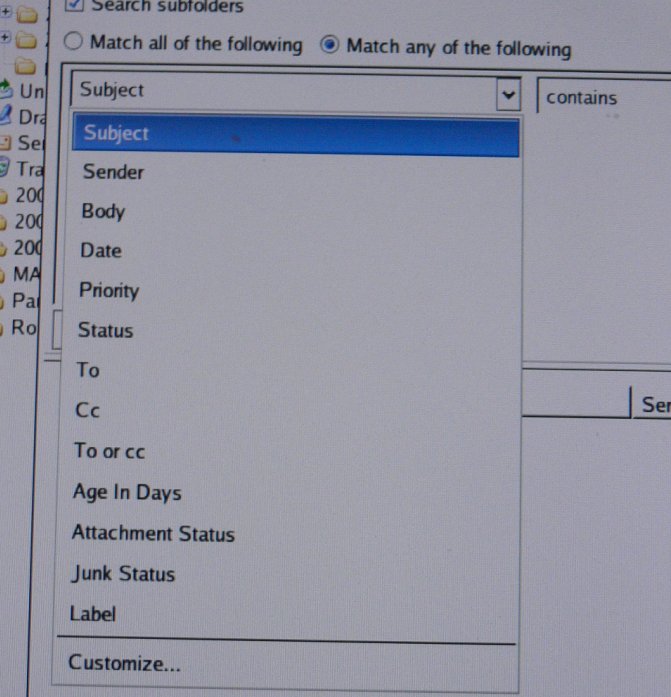
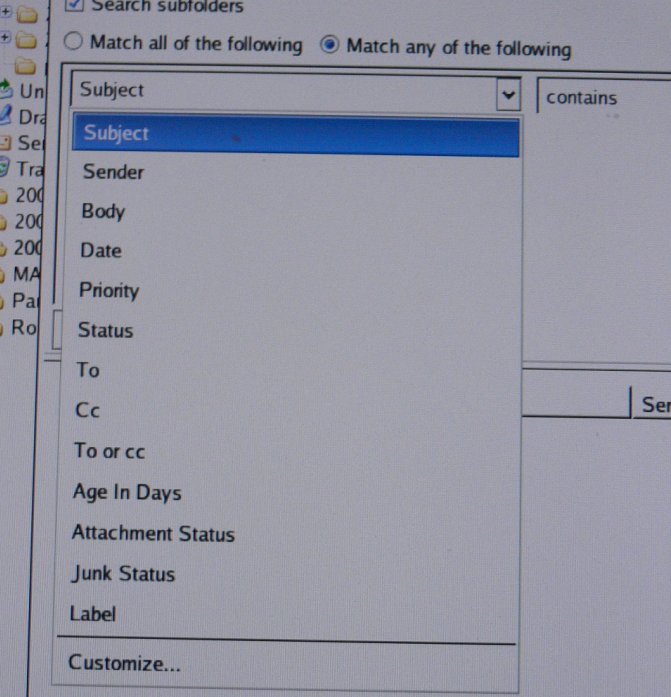
I use Thunderbird that can sort by subject, sender, read or not read,
junk status and date. In all case ascending or descending.
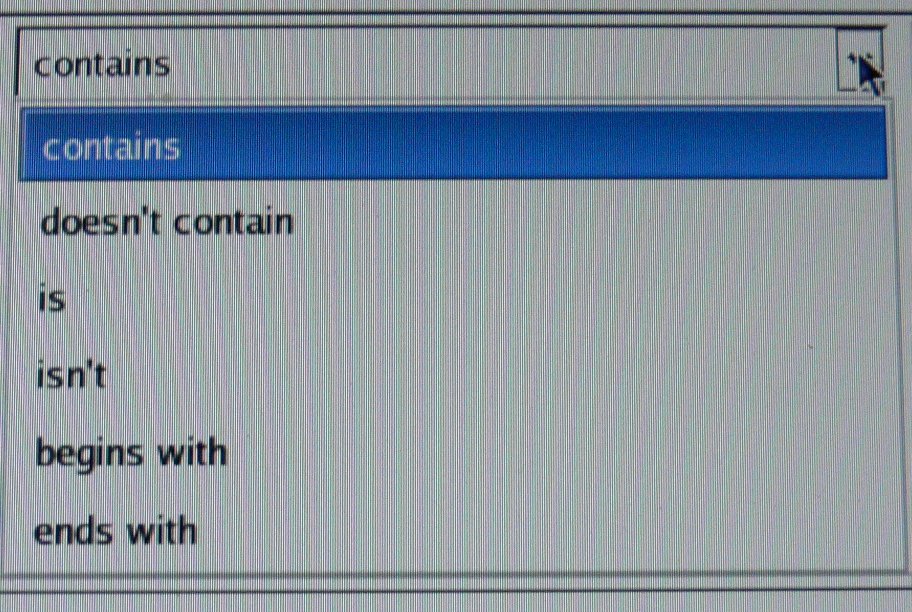
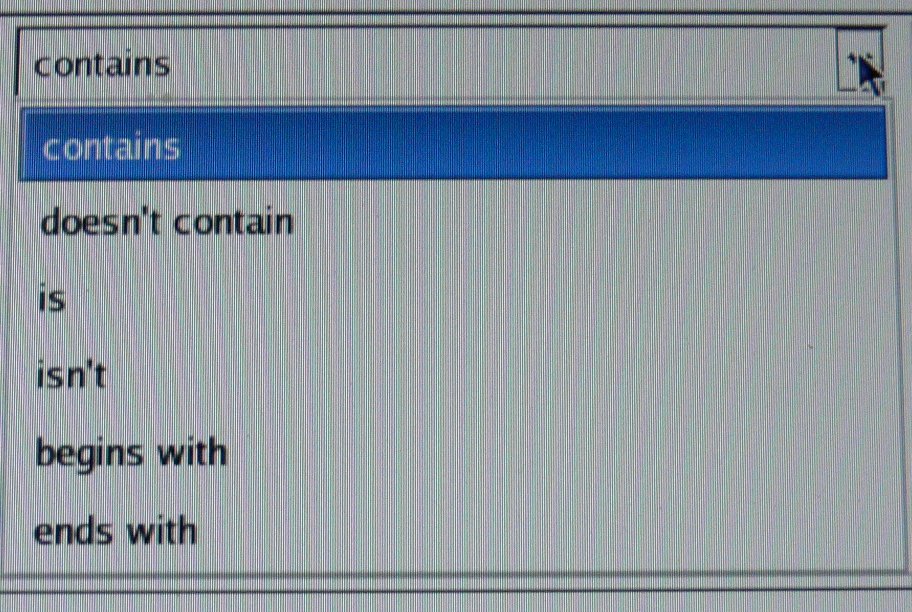
Thunderbird also has a find function that can find key words
in a message. The search function can find key words in: (see
the jpgs below).
In addition to this Linux has a couple of search programs
that come with it. One is "locate"
--------------------------------------------------------------
Secure Locate 2.7 - Released January 24, 2003
Copyright (c) 1999, 2000, 2001 Kevin Lindsay & Netnation Communications Inc. &
James A. Woods
<jwoods@adobe.com>
search usage: locate [-qi] [-d <path>] [--database=<path>] <search string>...
locate [-r <regexp>] [--regexp=<regexp>]
database usage: locate [-qv] [-o <file>] [--output=<file>]
locate [-e <dir1,dir2,...>] [-f <fs_type1,...> ] [-l <level>]
[-c] <[-U <path>] [-u]>
general usage: locate [-Vh] [--version] [--help]
Options:
-u - Create slocate database starting at path /.
-U <dir> - Create slocate database starting at path <dir>.
-c - Parse original GNU Locate's '/etc/updatedb.conf'
when using the -u or -U options. If 'updatedb' is
symbolically linked to the 'locate' binary, the
original configuration file will automatically be
used.
-e <dir1,dir2,...> - Exclude directories from the slocate database when
using the -u or -U options.
-f <fs_type1,...> - Exclude file system types from the slocate database
when using the -u or -U options. (ie. NFS, etc).
-l <level> - Security level.
0 turns security checks off. This will make
searchs faster.
1 turns security checks on. This is the default.
-q - Quiet mode. Error messages are suppressed.
-n <num> - Limit the amount of results shown to <num>.
-i - Does a case insensitive search.
-r <regexp>
--regexp=<regexp> - Search the database using a basic POSIX regular
expression.
-o <file>
--output=<file> - Specifies the database to create.
-d <path>
--database=<path> - Specfies the path of databases to search in.
-h
--help - Display this help.
-v
--verbose - Verbose mode. Display files when creating database.
-V
--version - Display version.
Author: Kevin Lindsay
Bugs:
klindsay@mkintraweb.com
FTP:
ftp://ftp.geekreview.org/slocate/
ftp://ftp.mkintraweb.com/pub/linux/slocate/
HTTP:
http://www.geekreview.org/slocate/
---------------------------------------------------------------------
Another is "find"
FIND(1L) FIND(1L)
NAME
find - search for files in a directory hierarchy
SYNOPSIS
find [path...] [expression]
DESCRIPTION
This manual page documents the GNU version of find. find searches the
directory tree rooted at each given file name by evaluating the given
expression from left to right, according to the rules of precedence
(see section OPERATORS), until the outcome is known (the left hand side
is false for and operations, true for or), at which point find moves on
to the next file name.
The first argument that begins with ‘-’, ‘(’, ‘)’, ‘,’, or ‘!’ is taken
to be the beginning of the expression; any arguments before it are
paths to search, and any arguments after it are the rest of the expres-
sion. If no paths are given, the current directory is used. If no
expression is given, the expression ‘-print’ is used.
find exits with status 0 if all files are processed successfully,
greater than 0 if errors occur.
EXPRESSIONS
The expression is made up of options (which affect overall operation
rather than the processing of a specific file, and always return true),
tests (which return a true or false value), and actions (which have
side effects and return a true or false value), all separated by opera-
tors. -and is assumed where the operator is omitted. If the expres-
sion contains no actions other than -prune, -print is performed on all
files for which the expression is true.
-------------------------------------------------------------------
Plus about a dozen options.
----------------------------------------------------------
If that is not enough one can always use "joe".
The way I use joe is save all messages from one month in one
folder in Thunderbird with a date name 10-06 for example.
Thunderbird concatenates all the messages in one huge 50 meg
(in some cases) plain ASCII text file. I load that into joe and search
for a whole slew of things. Anything from email addresses to the
entire route of the message it took on the Internet. Date, time,
subject, key word or phrase, whatever.
SEARCH
^KF find text
^L find next
Find (^C to abort): xyz
(I)gnore (R)eplace (B)ackwards Bloc(K) NNN (^C to abort):
This is particularly VERY fast, powerful and easy to use as it focuses
on just that months worth of messages.
Description
JOE is a powerful ASCII-text screen editor. It has a "mode-less" user
interface which is similar to many user-friendly PC editors. Users of
Micro-Pro’s WordStar or Borland’s "Turbo" languages will feel at home.
JOE is a full featured UNIX screen-editor though, and has many features
for editing programs and text.
JOE also emulates several other editors. JSTAR is a close imitation of
WordStar with many "JOE" extensions. JPICO is a close imitation of the
Pine mailing system’s PICO editor, but with many extensions and
improvements. JMACS is a GNU-EMACS imitation. RJOE is a restricted
version of JOE, which allows you to edit only the files specified on
the command line.
Although JOE is actually five different editors, it still requires only
one executable, but one with five different names. The name of the
editor with an "rc" appended gives the name of JOE’s initialization
file, which determines the personality of the editor.
JOE is free software; you can distribute it and/or modify it under the
terms of the GNU General Public License as published by the Free Soft-
ware Foundation. I have no plans for turning JOE into a commercial or
share-ware product. JOE is available over the Internet from
www.sourceforge.net/projects/joe-editor.
----------------------------------------------------------------
If that is not enough there is always the Gnome GUI "Search for Files"
and the Gnome GUI word processing with its own search functions.
I suspect some Microsoft products will do more or less the same thing.
Paul Lamar ...No rotor no motor.
The Rotary Engine NewsLetter. Powered by Linux.
ACRE NL web site.
http://www.rotaryeng.net
Copyright 1998-2006 All world wide rights reserved.