> OH sorry Paul, i didn't follow at first. Go to the solids menu on the
> left or to tools look for the block with the green rounded edge.
That is
> the fillet tool.
> Bill
I see it but the menus on the left are not lit up.
I must be in the wrong mode.
BTW the iges I sent does not have the flange union ed with
the main bell. How do I union in SW?
--
Paul Lamar ...No rotor no motor.
Paul,
You have always been correct about the user interface in SolidWorks,
very clunky. SolidWorks has a default mode where most items are joined
by default. In the little panel that you put the number in in extrude
and cut functions there is a little box that says, "merge result." If
you uncheck this all bodies, even those penetrating each other will be
disjoint. Touching or intersecting bodies can be joined using the insert
menu. (don't know why!) Go to "Insert, (pull down opens), Features,
(pull down opens), and near the bottom of the pull down you will see the
boelean functions. Combine is the one to use for both additions (joins)
and subtractions. (cutting) I am somewhat grateful as SW didn't even
have that until 2005! They force the sketch mode on you. No boelean
creates at all, blocks cones tubes etc must be created from sweeps,
revolves, and extrudes. Somewhat painful.
I figured what your problem was with fillet too, you must HIGHLIGHT the
edge by picking it in the drawing/model space. Use tangent propogation
for a contigous edge you want filleted. Multiple edges that are
unconnected can be done at the same time by holding down control and
picking the next item like in a browser.
Bill
Thanks Bill
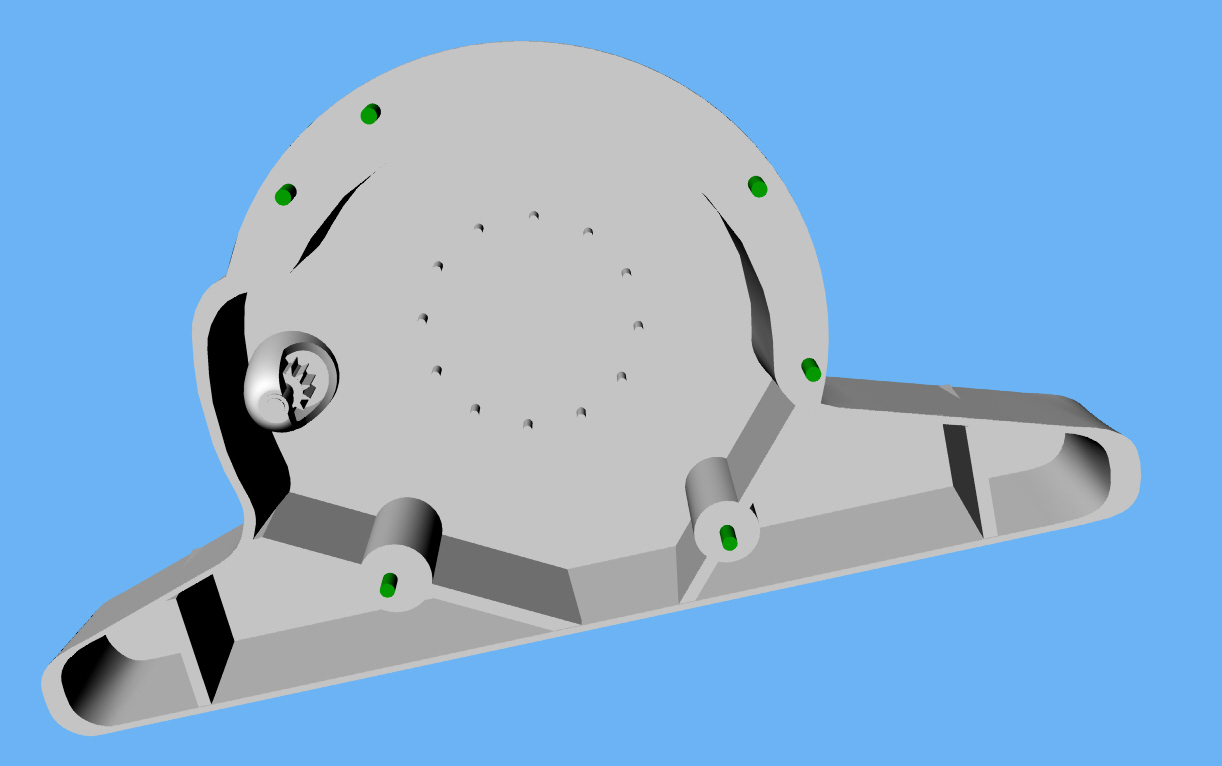
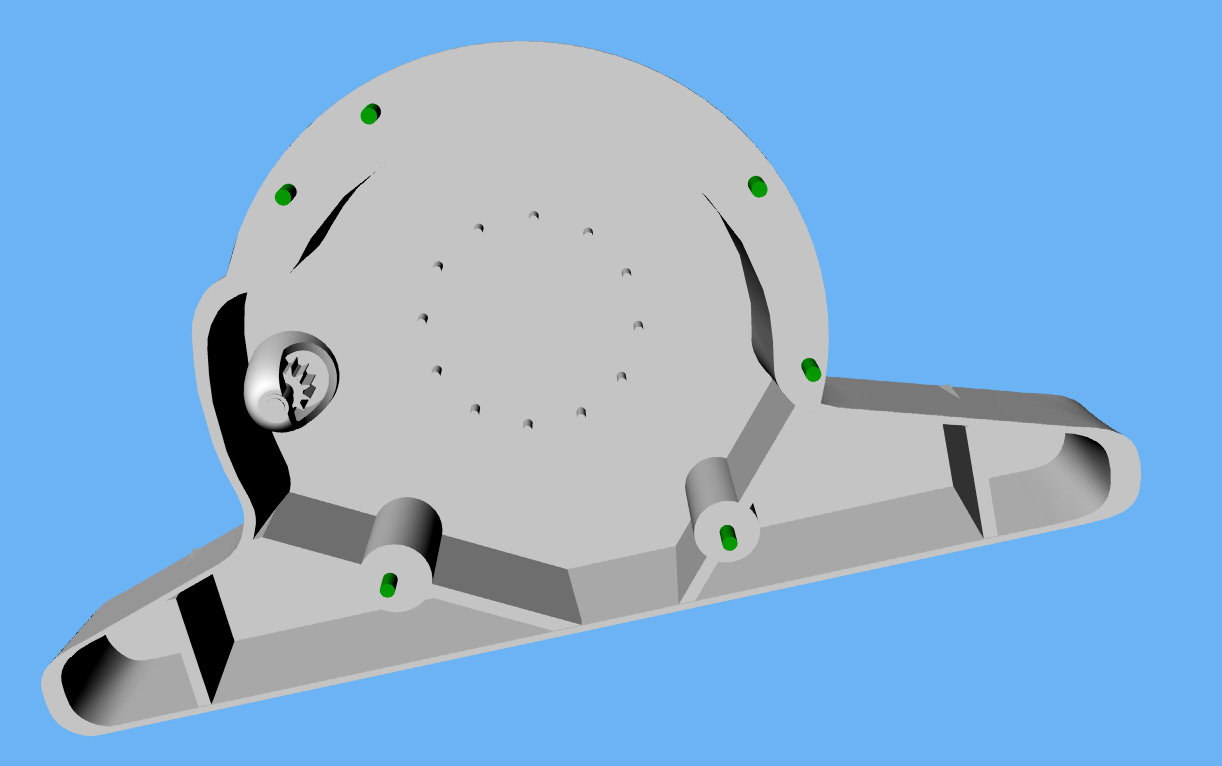
Here is what the inside will look like roughly. It is difficult
and tedious to do a decent shell in Rhino. The Rhino guys are telling
me they are working on it.
Paul Lamar
The Rotary Engine NewsLetter. Powered by Linux.
ACRE NL web site.
http://www.rotaryeng.net
Copyright 1998-2006 All world wide rights reserved.