Snip.....
----------------------------------------------
I changed to 804 and it does pretty much the same things.
I went out and spent $400 bucks on a new MegaByte mother board, processor
and memory. Guess what. Unbuntu refused to load.
In frustration a grabbed and old Fedora 5 and stuck it in the DVD drive.
Guess what? It loaded right off the bat with no problems.
Fedora install program is ten times better than Ubuntu keeping
you well informed on what it is doing, why it is doing what it is doing
and how long it is going to take. Unbuntu sometimes gives you a blinking
cursor
and other times nothing and sometimes the light blinks on the DVD drive.
Fedora 5 also loaded on the board above with no problems.
BTW there is no need for half the stuff on the install distro.
Who is going to use open office on their mill computer??
If they removed half that useless stuff it would take a lot less time
to load and install.
--------------------------------------------------
I took that GigaByte mother board back and got my money back.
Worst mother board and BIOS I ever had the displeasure to use.
BTW the hot tip is to install Fedora first and let
it scope out the hard drive. It does a much better job.
Then install Ubuntu if you must :)
Paul Lamar
Paul,
Sorry to hear that you are having so much trouble loading Ubuntu.
I went to the Gmane linux emc users forum and typed in "grub error 18" and
got a lot of hits.
See here:
http://search.gmane.org/search.php?group=gmane.linux.distributions.emc.user&
query=grub+error+18
I also found a debug trick that might help you, here is a partial quote from
one of the above web site hits:
"...when the system is first booting up, right after the
manufacturer's splash screen (if any), it says :
GRUB loading, please wait...
Hit ESC at that time, and you get a menu. Generally the last
item on the menu is the Memtest86 program, just hit the down
arrow key to highlight that entry and h it return. This
diagnostic will run forever if it finds no errors, otherwise it
will list what it has found wrong, at a fairly technical level.
But, what you are looking for is the presence or absence of
error reports. It may also be that your BIOS settings have
gotten corrupted, or that someone overclocked the computer for
gaming, and the settings are not correct for proper operation.
Most BIOS setup screens have some option to return all settings
to default, you might try that if you haven't made any special
settings for specific hardware compatibility."
Good luck,
Tom
Yes I did that Tom. That works for testing the memory.
One of the neat things about it is it times it self.
When I first used the SOYO board it would run for 12.5 minutes
and crash. Turned out there was a linear voltage regulator on
the board that was overheating and shutting down.
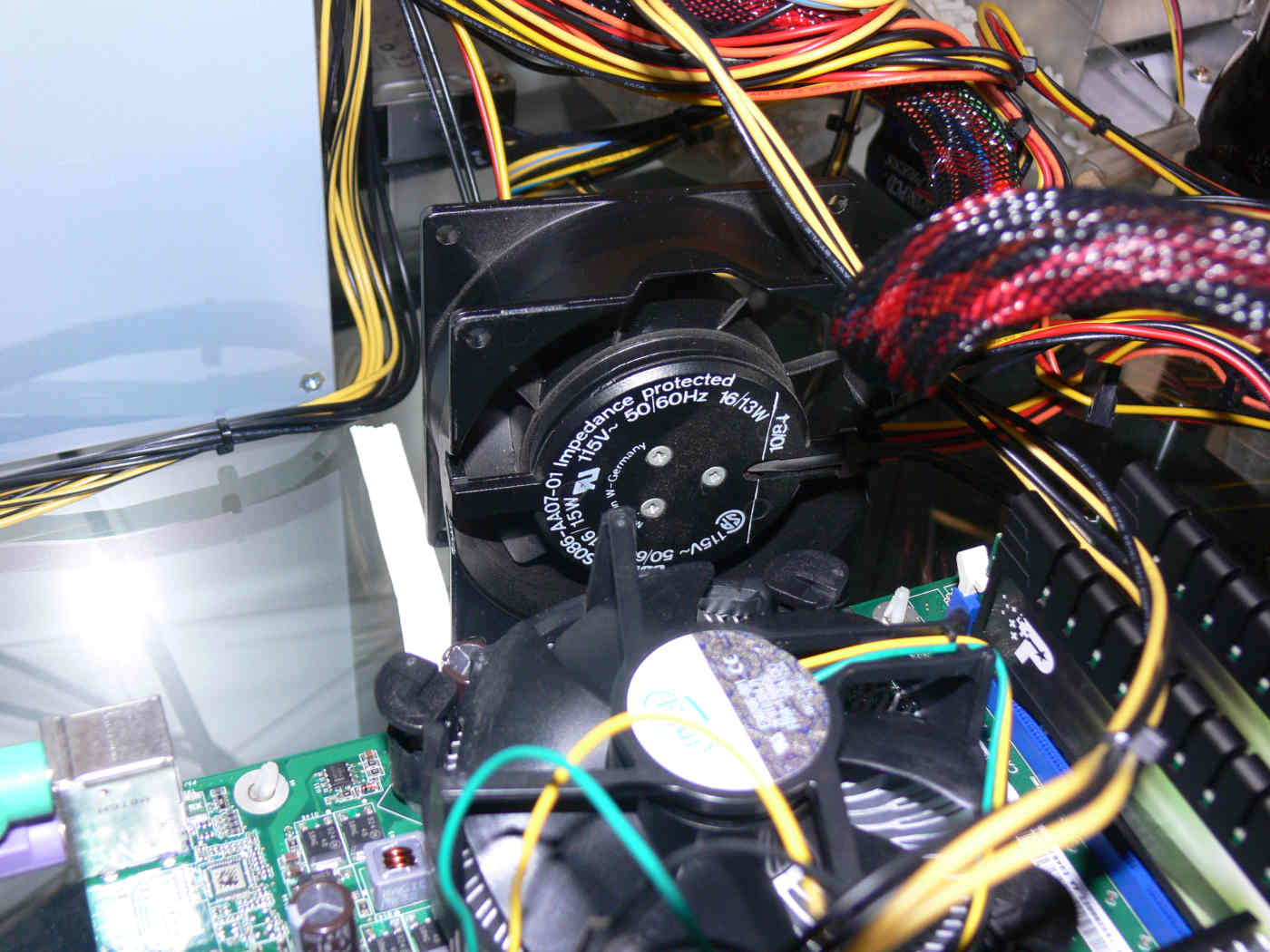
I dug up an old 115 volt 13 watt AC fan I had lying around
and applied that sledge hammer. Problem went away. I am looking
for a heat sink to glue to the top of the linear regulator chips.
Paul Lamar
--
The Rotary Engine NewsLetter. Powered by Linux.
ACRE NL web site.
http://www.rotaryeng.net
Youtube key word UTUBPLEASE
Copyright 1998-2009 All world wide rights reserved.