I got all my autocad drawings redrawen pretty much from scratch
into Rhino over the last three weeks. Basically the parts are a flat plate
with an external shape for the part, from which small solids are subtracted
for water manifolds, lightening, porting of intake and exhaust,stationary
gear mounting, "O" ring lands and bolt holes.
I have the pieces located within the plate part but am having trouble
subtracting them from the main plate using the "solids difference" command.
Some subtract as expected, however about half of them return an error
message "boolian difference failed"
I did a test run with the pieces as polysurfaces and had similar
problems. I have since converted them to solids with the "create solid"
command which appeared to work 100% of the time. I have eleven various
parts for foundary patterns and another eleven pieces for finished parts.
The engine requires six components, the rest are for differing motor
mounts,
water pumps, and a connector bellhousing to connect two engines end to end.
I also have difficulty with the "solids union" command which
returns "solids union failed"with the larger parts such as the sidewall of
the bellhousing and the flange. Since some sections will subtract from
these
larger pieces and some similarly shaped sections will not, it appears that
the larger parts may not be the problem. All the parts have a 3 degree
taper
on the edges for use as foundary patterns.
The various pieces were constructed with a bottom surface a side
wall and a top surface connected with the join command. The "cap planer
holes" command doesn't seem to work on complex shapes, just circles and
rectangles. The "surface from planer curves" command does work indicating
the curves (outlines) are indeed in the same plane.
Any help anyone can offer would be greatly appreciated particularly with
the boolian commands. Also something which would indicate what error caused
the error messages would be helpful. The manual shows how to apply the
commands but lists very little help on what to do when they fail to work.
Virtually the same documentation problems as Autocad.
george grimes
I want to see some renderings George :)
Paul Lamar
Paul, I would sure like to get your input on this engine and will send the
JPG output just as soon as I can figure out why the difference command isn't
working. I did a JPG of another part and know how to save a render to that
format. Without the parts subtracted out all that would render is the
external shape sort of like something with a Christmas cookie cutter shaped
like a side housing.
Yesterday my new desktop quit, something to do with windows system
check deciding to shut everything down. I did the clean all the cable
connections and t ran another few minutes. Now all I have is the BIOS
screen. I don't have a lot of spares for this newer stuff so I will send it
off -again-for the third time.
If it stops raining I can get the electric service connected to the
hanger which is pretty much wired up except for the larger machine tools.I
should be getting the large format printer operating, but I am just about
tired of computer problems and have no reason to expect that plugging it
into the wall will get me airframe drawings in full scale.
george grimes
The difference command is very picky. You want to make sure both
objects are truly solid. Choose "solid" and scroll down to "cap planer
holes". That usually does the trick. Practice with simple shapes
such as two blocks of different size. For complex shapes
choose: analyzemass propertiesvolume and it will tell you where
you are going wrong.
Go to:
http://www.frys.com/
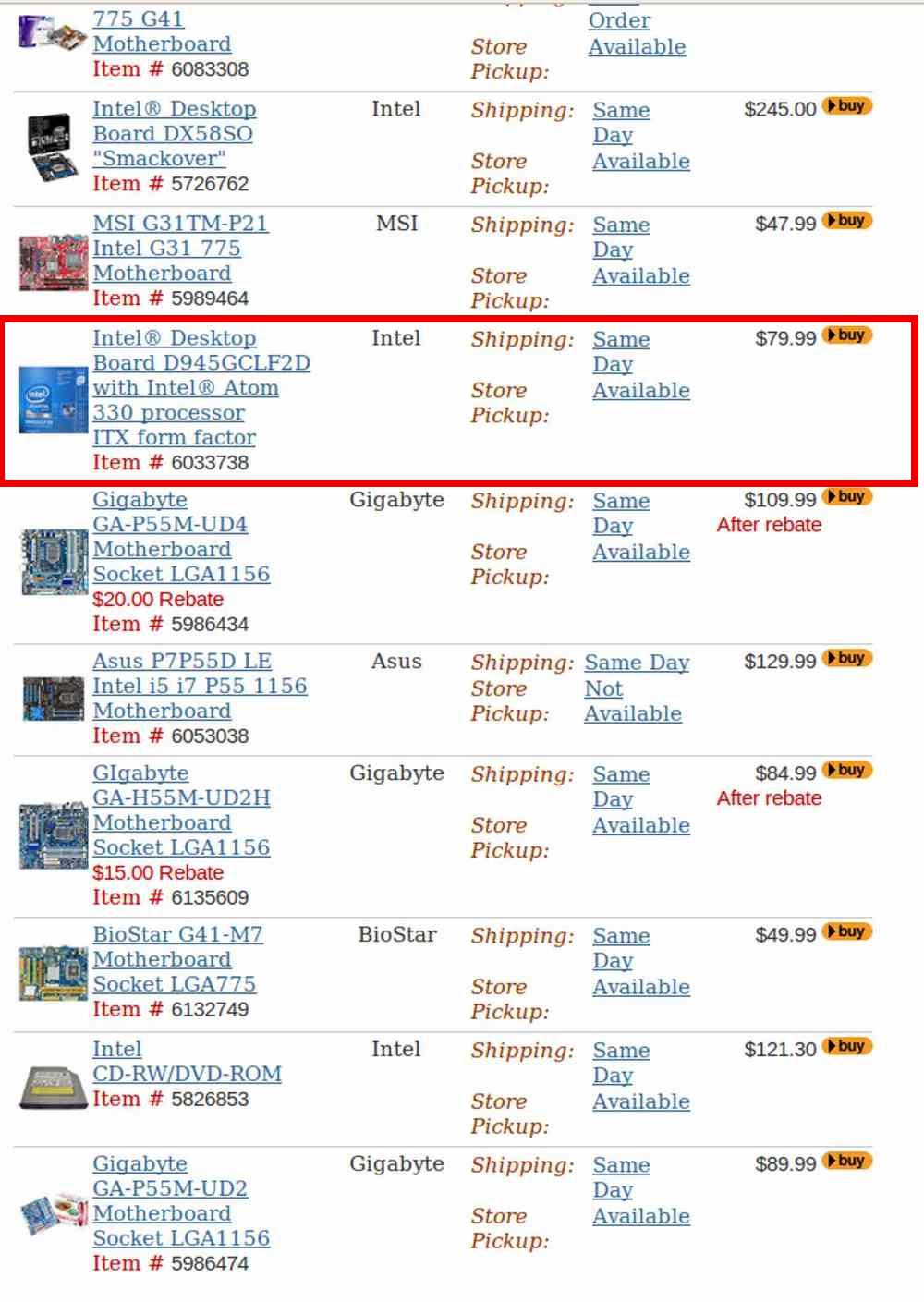
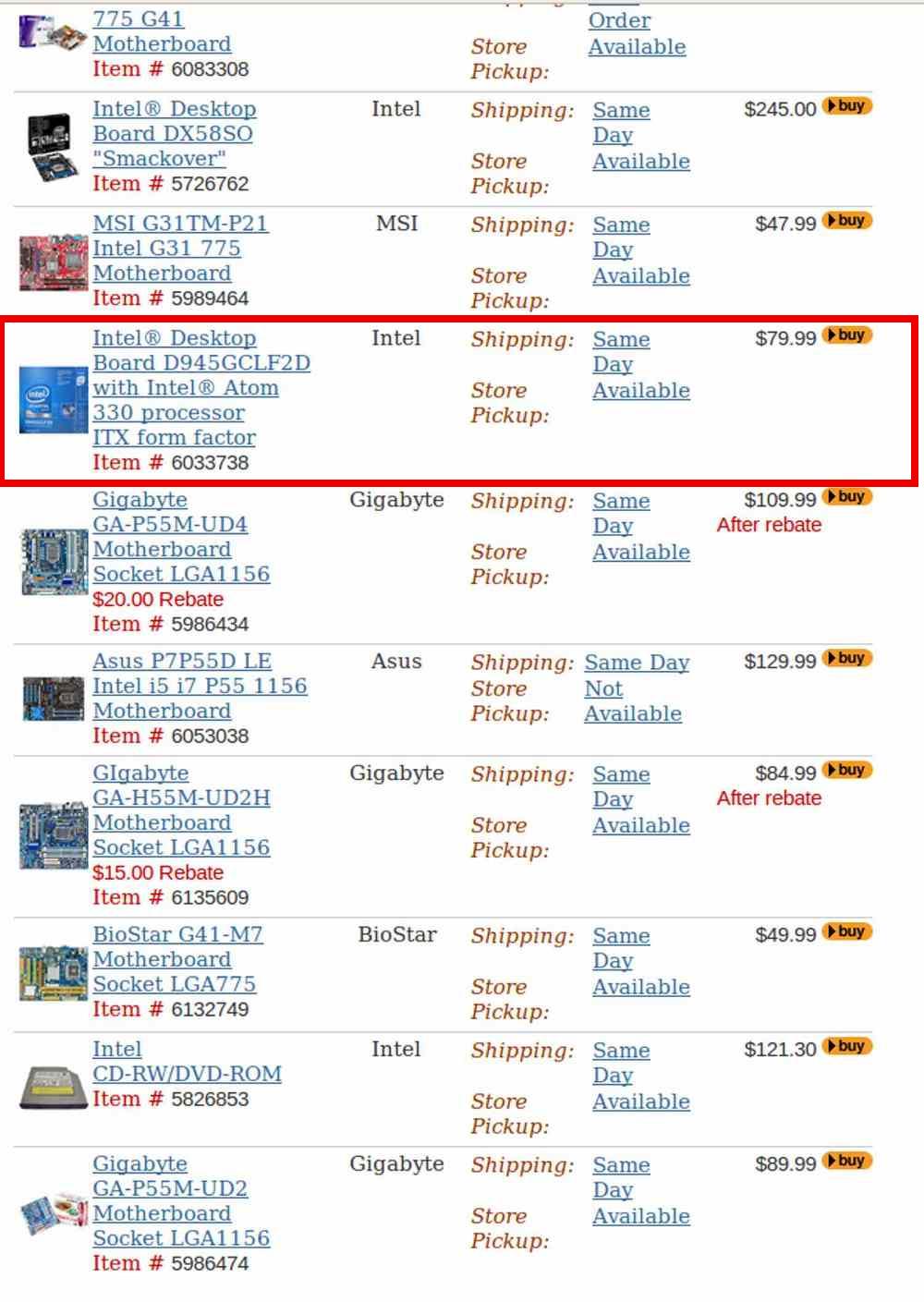
choose: electronic components>computer components>mother boards>intel
>view all Intel boards. Scroll down to Item # 6033738
This is a brand new ITX mother board that will fit in any old case.
That INCLUDES the Atom processor for $80. << Some of the memory you now
have may fit. If you buy a mother board, Fry's will sell you
MS Xp for about half off. Around $100. You may need a SATA drive
for about 500 gig for about another $100. Most old keyboards will work
as well as VGA monitors you now have.
They also have a complete Acer system using the Atom, a 160 G drive
screen, 1 Gb memory, XP and keyboard for $200.
This is a lot of bang for the buck in computers.
Paul Lamar
--
The Rotary Engine NewsLetter. Powered by Linux.
ACRE NL web site.
http://www.rotaryeng.net
Youtube key word UTUBPLEASE
Copyright 1998-2009 All world wide rights reserved.