I suggest if you are interested in this system you make
a folder and drag over all the many future messages on this
subject otherwise delete it.
http://www.zbasic.net/
So simple a caveman like me can do it.
Paul Lamar
------------------------------------------------------
I am just getting mine talking to my XP computer.
If you plan to use the USB rather than the RS232 port for communicating
you must do this.
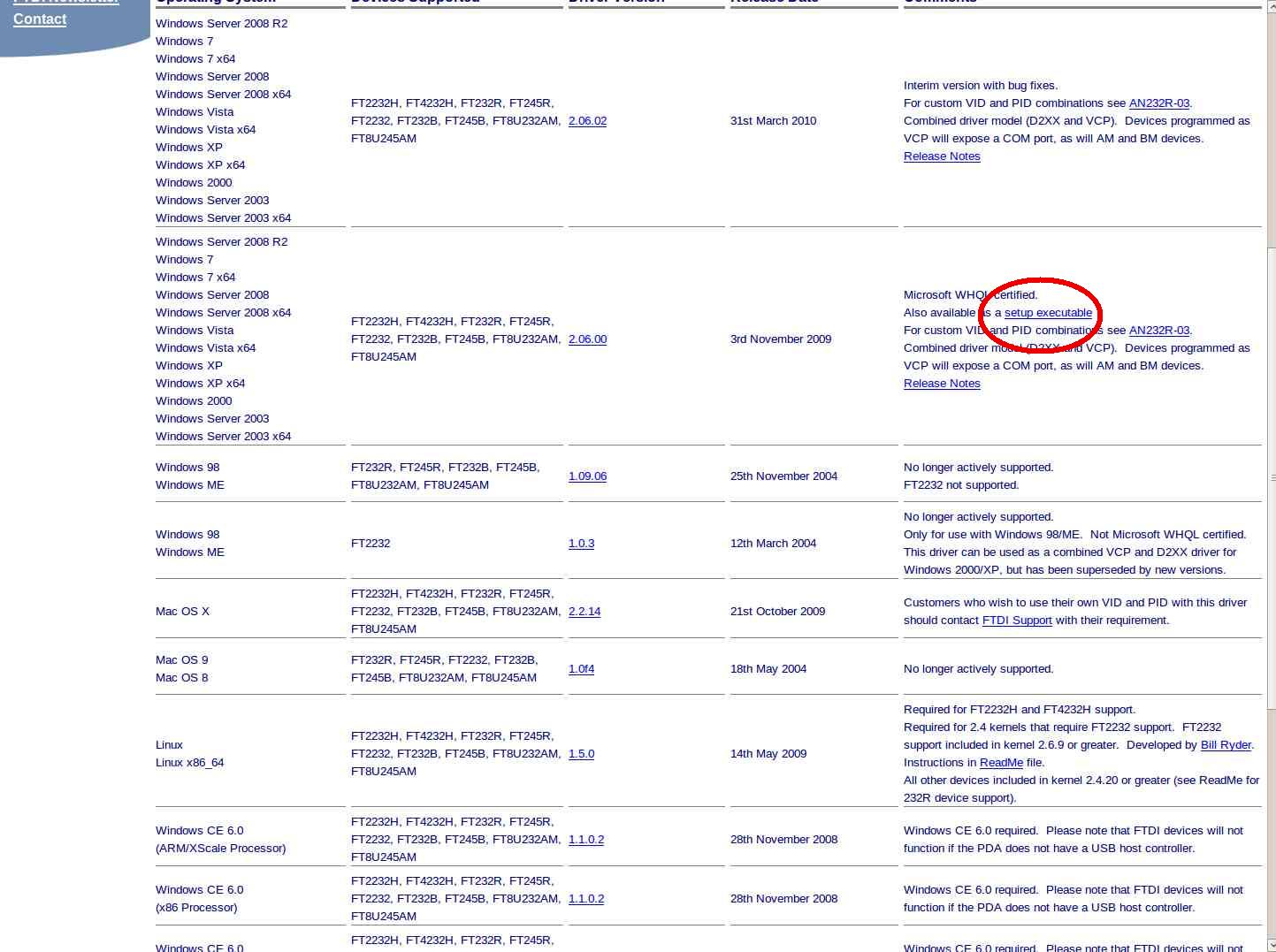
You will need to download USB drivers from the FTDI site and install
them manually. The FT232R drivers are available directly from FTDI at
http://www.ftdichip.com/Drivers/VCP.htm. Note that the CDM driver
(whatever
that is) is not available for all operating systems. Be sure to download
the drivers for the FT232R device that match your OS.
snips...............
Paul Lamar
------------------------------------------------------------------------------
"The jumpers and switches are set at the factory assuming
that the Dev Board will be powered via the on-board
regulator and that a standard serial port will be used for
communication with the ZX-1280N. If this is how you
intend to operate it, simply connect an external supply to
J27, connect your serial cable to J25 and activate the
power switch. You should then see the output from the
default ?Hello, world? program, confirming that the ZX-
1280N is operating correctly and ready to accept your
program."
"If you intend to use the USB interface, several additional
steps will be required. Firstly, change the switch SW3
to the ?USB? position. If you also intend to power the Dev
Board from your USB hub, move jumper J19 to the
?USB? position as well. Otherwise, connect an external
power supply to J27. Connect a standard USB A-B
cable between J28 of the Dev Board and your USB hub. When
the power switch is activated, you should see
several flashes on the Red/Green LED (D4, near the J28
connector). "
I got it working with the USB and an external power supply.
There is a blinking LED near the USB connector on the board when
it is communicating with the PC. This is what the screen
in the Windows XP computer looks like.
The next test will be the rotary engine compression tester
program. If you have the board and you want to follow along
and you run into a problem I'll try to help.
---------------------------------------------------
The compression tester is working. It took 5 minutes
to write the software and get it working.
I had no pressure sensor connected to the A to D pin so it was
reading max high or 254 and 255.
One minor problem.
I need to convert the extended ASCII output characters
to a decimal number character so they can be loaded into
a spread sheet for plotting.
Anybody know how to do this in debug?
A Windows problem.
http://www.zbasic.net/
So simple a caveman like me can do it.
Paul Lamar
SNIP!
Paul, I saw some ascii to block text, crc, and a few other code
samples on the Basic X example code section. But I'm not sure
if any are exactly what you are looking for. Maybe you could give it a
peek.
C. Smith
I think it has something to do with the debug.com program. I'll call Don
Kinser later today and find out.
Now I have some PC boards to build.
Paul Lamar
Paul,
Can you walk me through this process. I have the ZX board connected via
USB. (jumper J19 changed to USB; SW3 set to USB; FT232R s/w downloaded.
Board appears to be working (green LED flashed a few times and the red LED
is on steady. Got message that device has been configured. However, I
never saw the "Hello..." message.
How do I proceed. I've opened the ZBasic IDE program and it appears to be
running. The compression-test1.bas is showing. Where do I go from here?
Thanks,
Mark
Try pressing the reset button on the board. If that does not work leave
the board connected and reboot the IDE program. Did you download the driver
for the USB?
"If you have previously installed compatible
FTDI FT232R drivers, your OS should recognize the USB device on the Dev
Board and automatically install drivers for it. Otherwise, you’ll need to
download drivers from the FTDI site and install them manually."
"The FT232R
drivers are available directly from FTDI at
http://www.ftdichip.com/Drivers/VCP.htm. Note that the CDM driver is not
available for all operating systems. Be sure to download the drivers for
the FT232R device that match your OS. "
I had to do that. This is the one I got. Self extracting.
Paul Lamar
--
The Rotary Engine NewsLetter. Powered by Linux.
ACRE NL web site.
http://www.rotaryeng.net
Youtube key word PaulLamar2
Copyright 1998-2010 All world wide rights reserved.