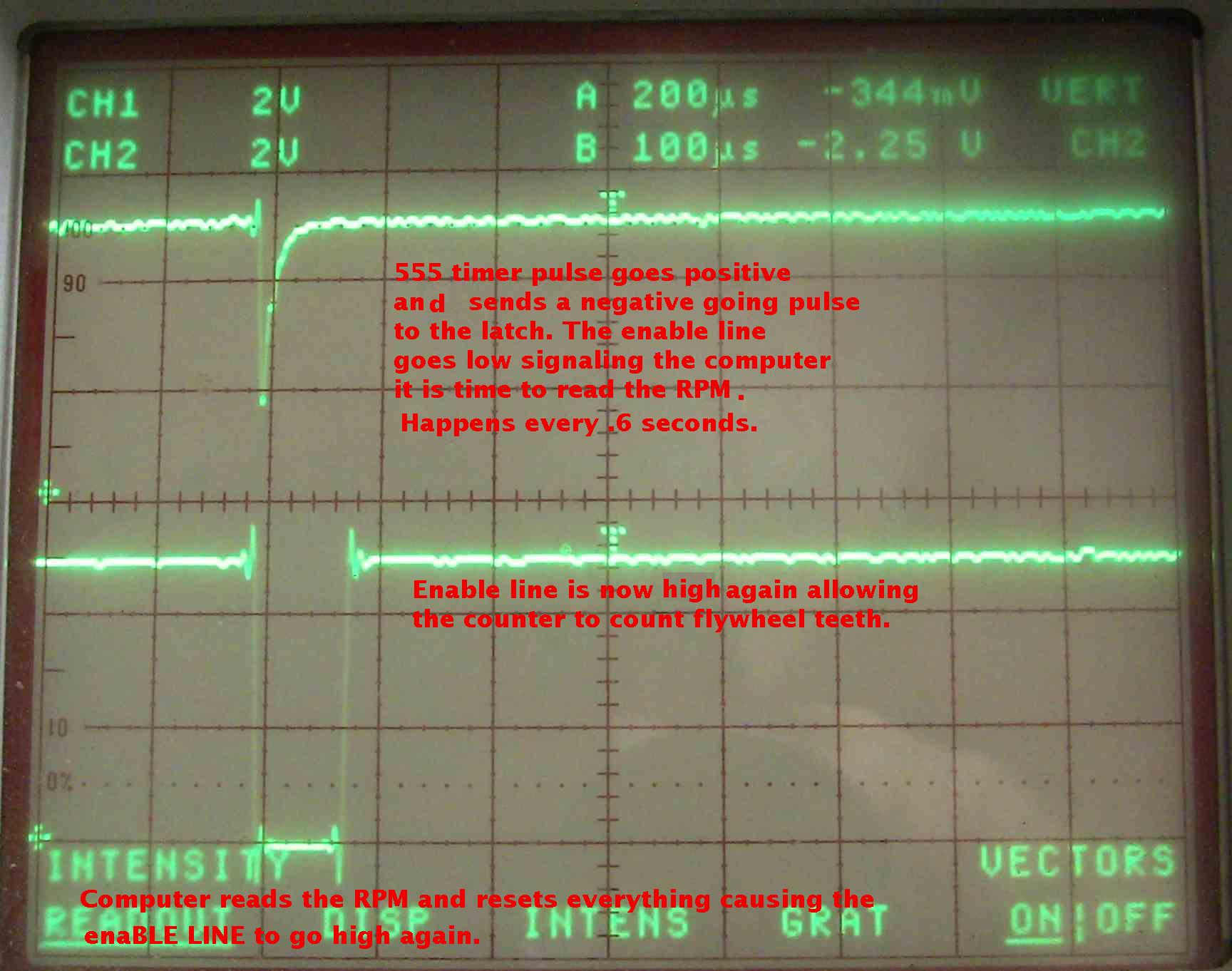
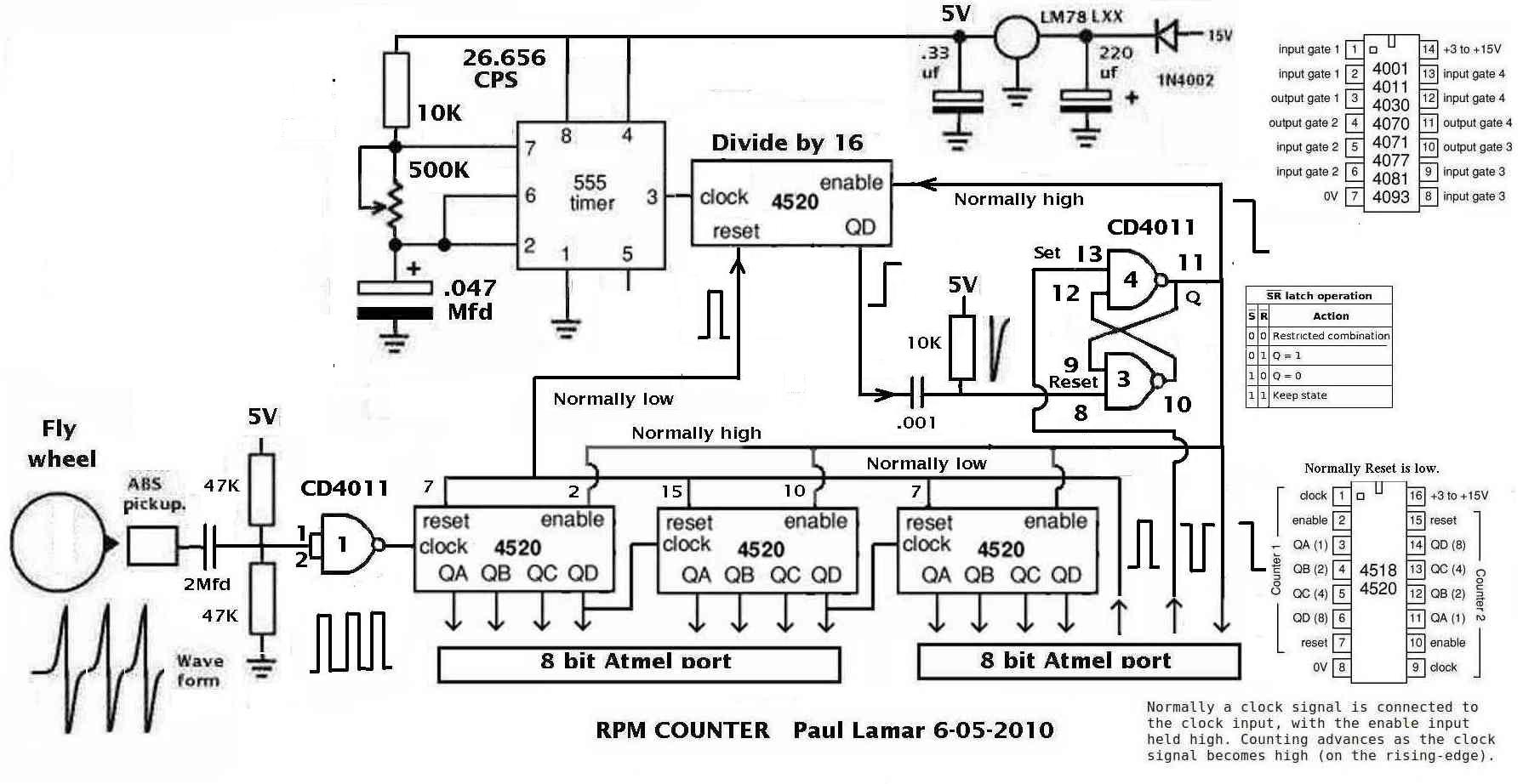
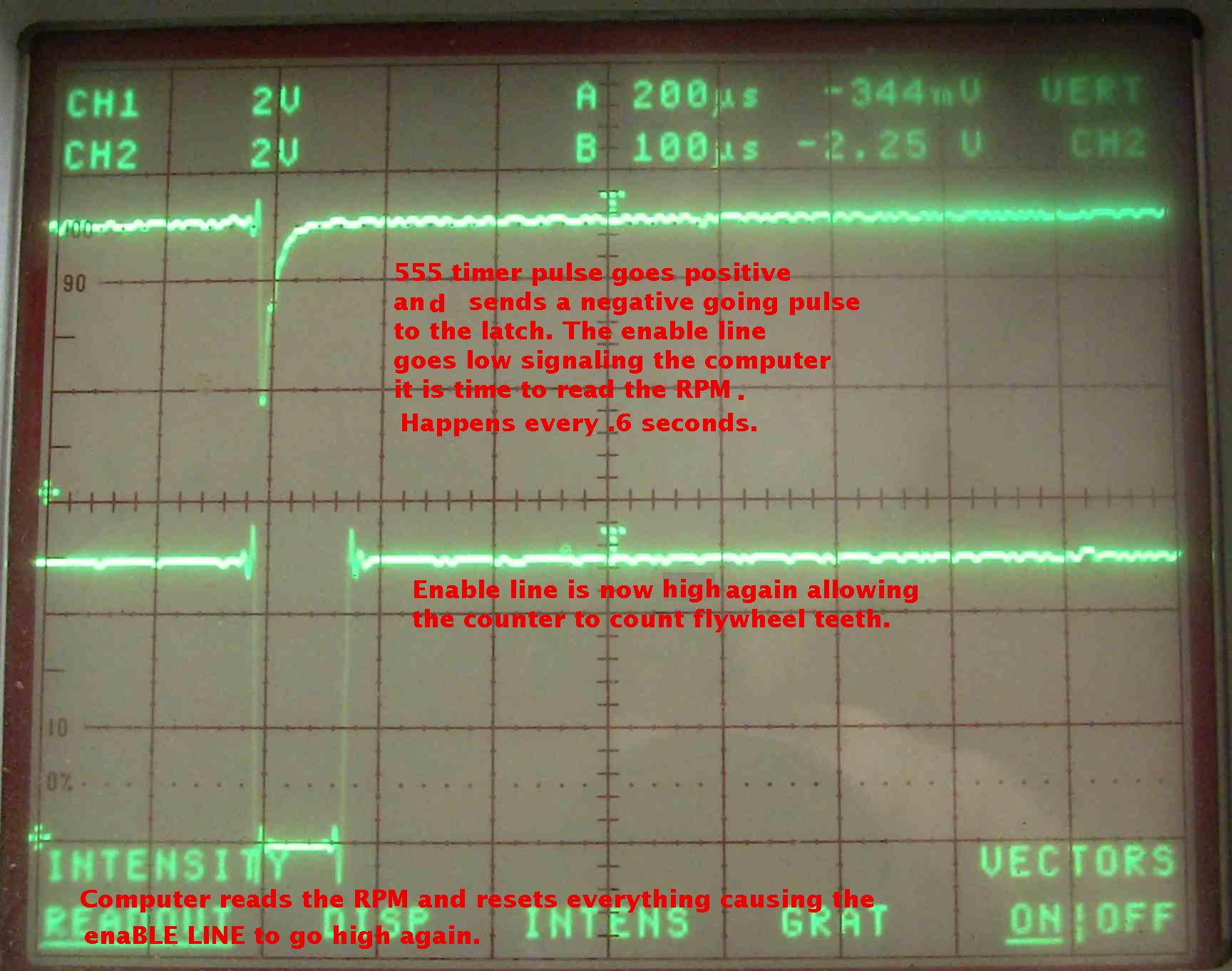
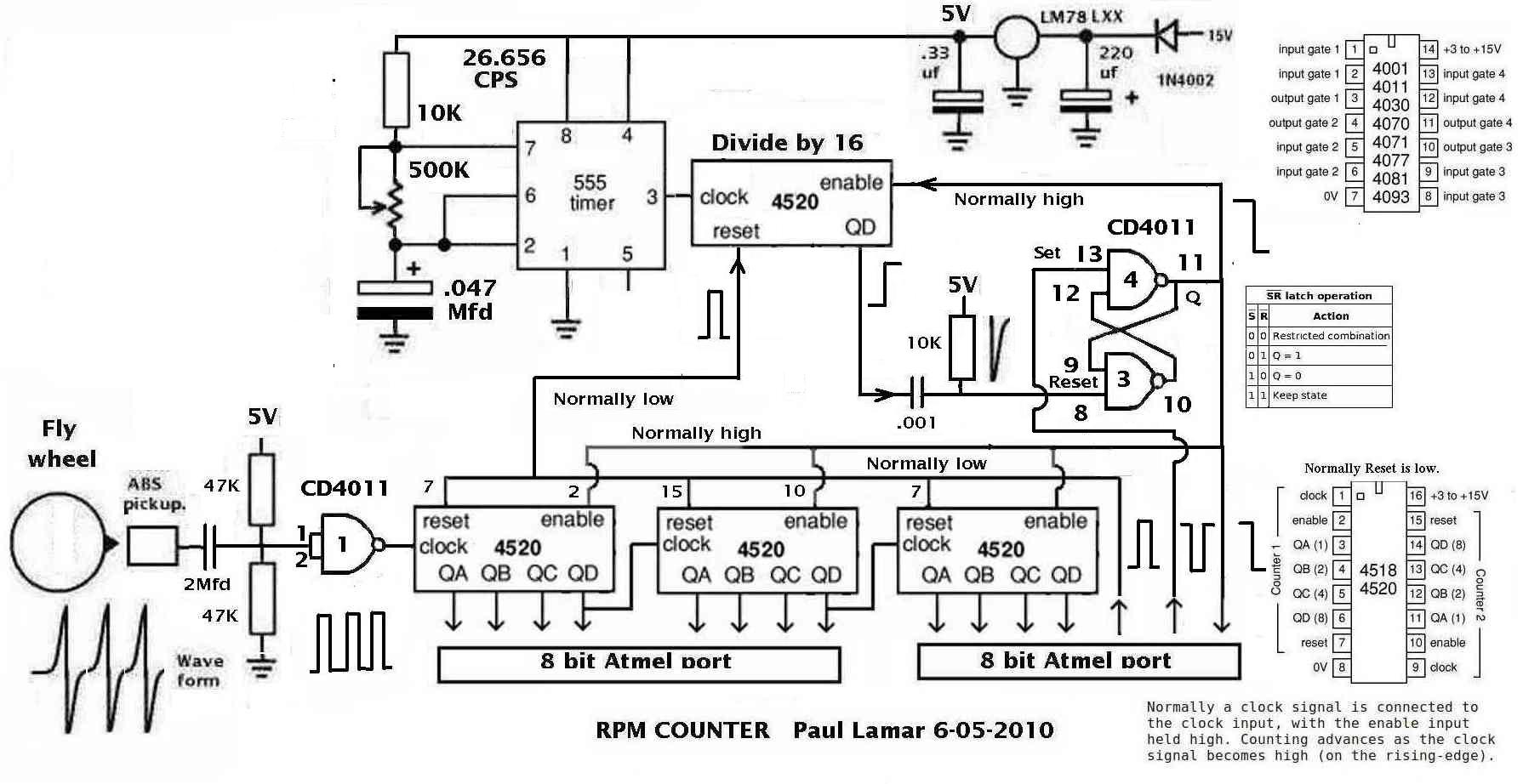
I wrote a program to check the computer
interaction with the RPM counter.
Tricky. In the old days this would take
days if not weeks to get it right.
The ZBasic is a great diagnostic tool.
I found a hardware mistake so it is a good thing
I did not order the pc boards yet :)
===========================================================
Public x as long
Public y as long
Sub Main()
Register.TIMSK2 = 0 'turn off real time clock
for x = 1 to 20000000
'output is high Q
'both set and reset are high
if getpin(43) = 0 then 'enable line went low
'reset line went went low Q
'Q went low
for y = 1 to 50 'simulate reading RPM delay
next y 'do not use Delay() as it
'uses the real time clock.
Call PutPin(13, zxOutputLow) ' pin 13
'reset the latch and put the enable line back high.
Call PutPin(13, zxOutputHigh) '
end if
'from here to the next 555 timer pulse Q stays high.
'both set and reset are high.
'Q stays high until the next time.
'RPM counter is counting up.
for y = 1 to 600 ' delay simulate the count
'time. About .6 seconds.
' lots of comp. work can be done
'in that period of time.
next y
next x
End Sub
==================================================
This thing is going to be super accurate on RPM.
The system stops counting revs within a nano second
or so of when it is supposed to. Far faster than
any computer can respond to a hardware interrupt.
Paul Lamar
--
The Rotary Engine NewsLetter. Powered by Linux.
ACRE NL web site.
http://www.rotaryeng.net
Youtube key word PaulLamar2
Copyright 1998-2010 All world wide rights reserved.