I was thinking how easy it would be to build
an auto land system.
Anybody know how to program Android apps?
All you need is a tablet with a USB port and moving map software.
Then you build a pressure altimeter using a single
chipper and a pressure sensor with a USB interface.
The GPS is built into the the tablet.
You set the coordinates of the end of the runway you want to land
on and that will put you within 15 feet.
The last little bit is done with a ultrasonic back up sensor.
Paul Lamar
It is not difficult to write program for Android phones up to version 2.30.
I suspect Android tablet 3.0 is similar.
However, I would not use it to land. The entire system with all the other
un-tested apps will be too much to be able to guarantee stability.
Instead, I would build a standalone auto-land system and use the tablet
as Human Interface Device to present the data.
Sent from Henry Nee
Are you building a rotary powered airplane Henry? If so are you planning
on buying Tracy's EC and EM?
Is there an app interface call for the UPS port in 2.30?
Paul Lamar
I am still learning do I have not started building yet. But i agree with you
that rotary may be the best choice for safety.
Actually I thinking about a new ECU with dual circuits. The A computer will
be a processor based design with similar function to Tracy's ECU, and a B
computer using 555 timer as you have suggested.
Google announced an ADK, or Android development kit and it uses the Adruno
processor kit. At the same time Android added USB host support. Host support
means Android device can control other peripherals. I need to check which
version of Android will support host function. Most likely version 3.0 or
latter.
I am not sure what you mean by UPS. Or do you actually mean USB? UPS is for
AC power backup.
Sent from Henry Nee
Typo UPS should be USB :)
The reason I mention that is Tracy's EM2 is in dire need of a larger screen
so all the various numbers can be labeled and a small tablet would be ideal.
Logging the data for later download would also be possible. Tracy uses an
RS232 to output the data to the small limited size current smart?:) screen.
Give you some income and you can legally write off the cost of your airplane
:)
Paul Lamar
In order to use Android device as a USB host (Like a PC) to talk to a
USB device (Tracy's EC2) Officially we will need to use a tablet
supporting version 3.1.x or later, and we need an external RS-232 to
USB dongle to convert the signal.
I assume you want to log all data. How about display type? Analogue,
digital Or both?
Do you want to set alarms on things like high temp. low fuel, etc.?
How about instruments? Do you want this to control your left and right
tank cycling?
Do you want all data to be displayed at the same time? What about
color of display?
Android is a very good data logger and Human Interface Device so you
might want to add more functions to it later.
As for the tax benefit, it is a good incentive to start building earlier.
There was a typo in my earlier email. The ADK is based on Adruino, not
Adruno. Here is a link describing it, and you can do many things with
it.
http://en.wikipedia.org/wiki/Arduino
Henry
3.1 is wide spread on the new larger tablets like the Acer and Toshiba.
I would be happy with a digital display of large fonts easily readable
in the cockpit. I don't need any fancy bar graphs or pie charts :)
Alarms are nice but not really needed. If we keep it simple to start
and add features later that would be fine with me.
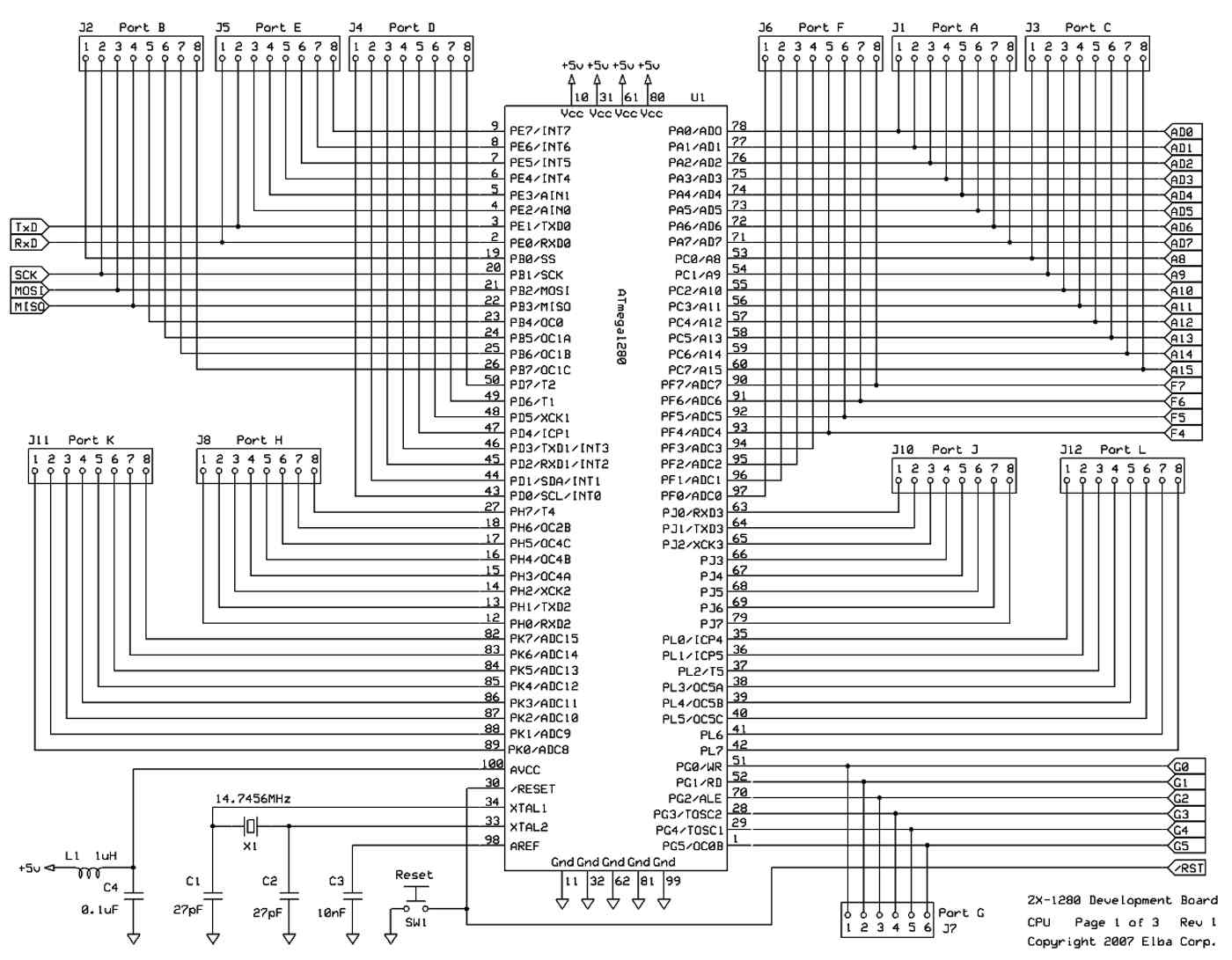
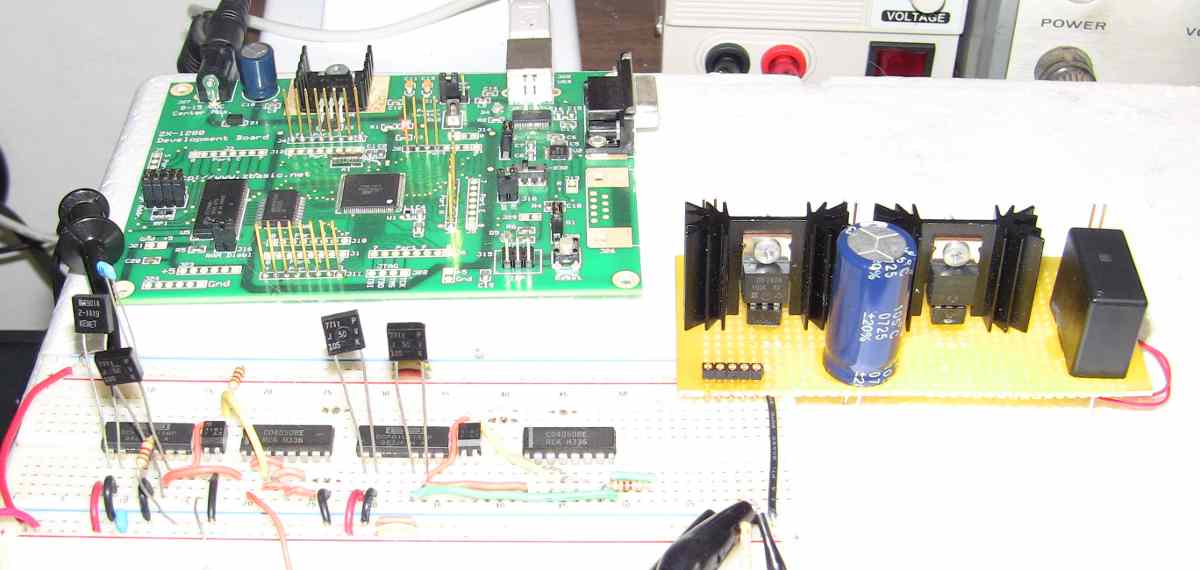
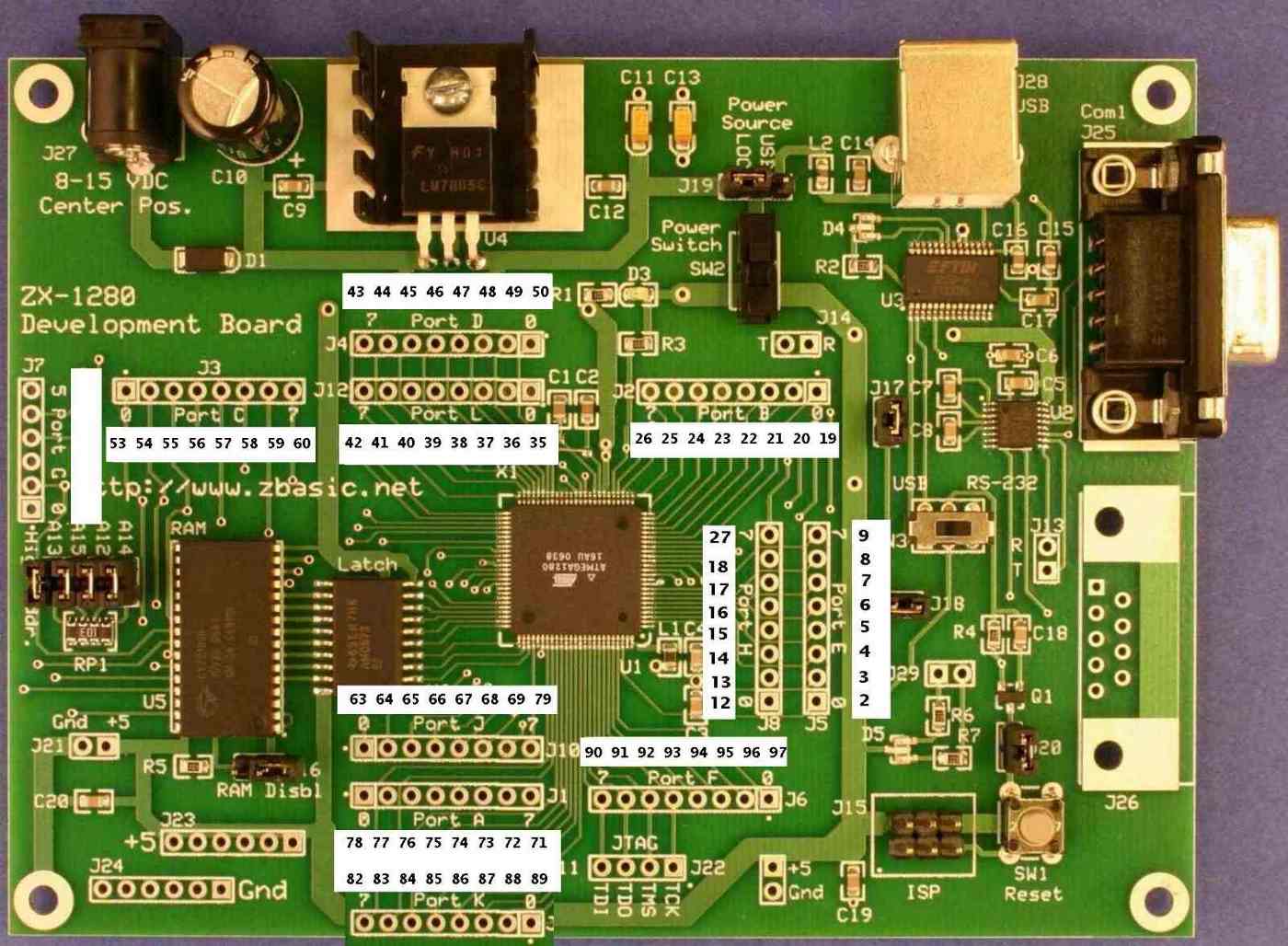
I have something similar to the Adruino called ZBasic but much more powerful.
I have been fooling with it and been able to set a bit using the ZBasic language
in less than a microsecond.
http://www.zbasic.net/
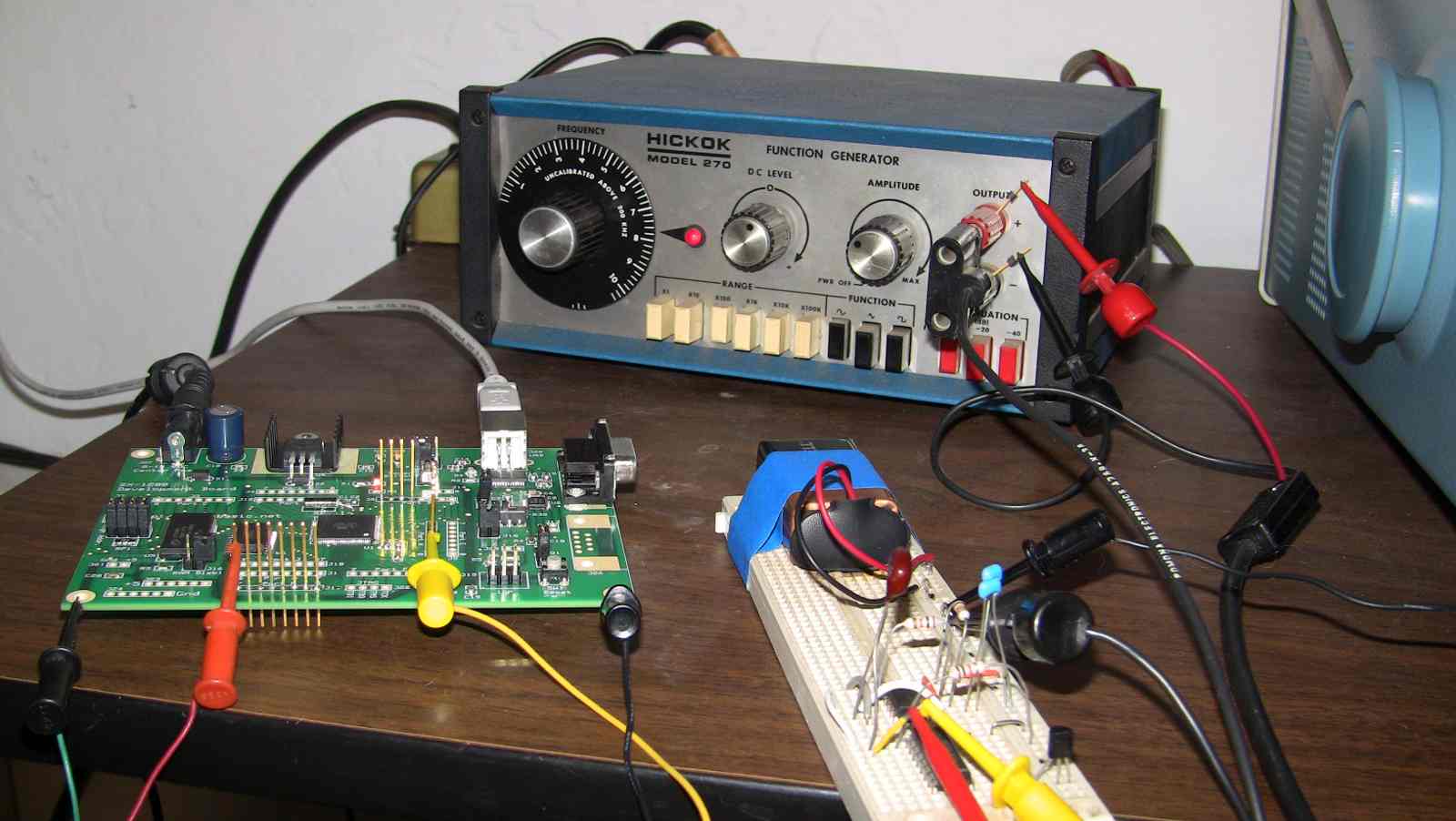
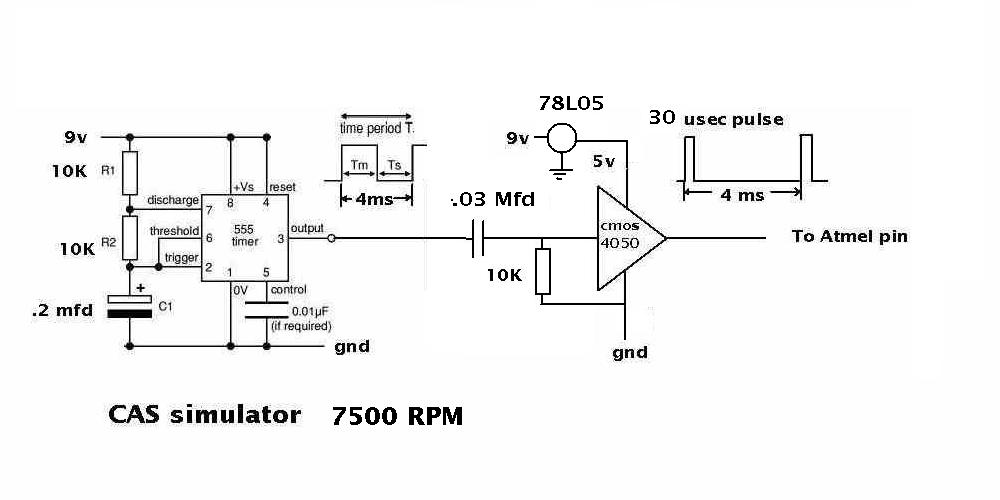
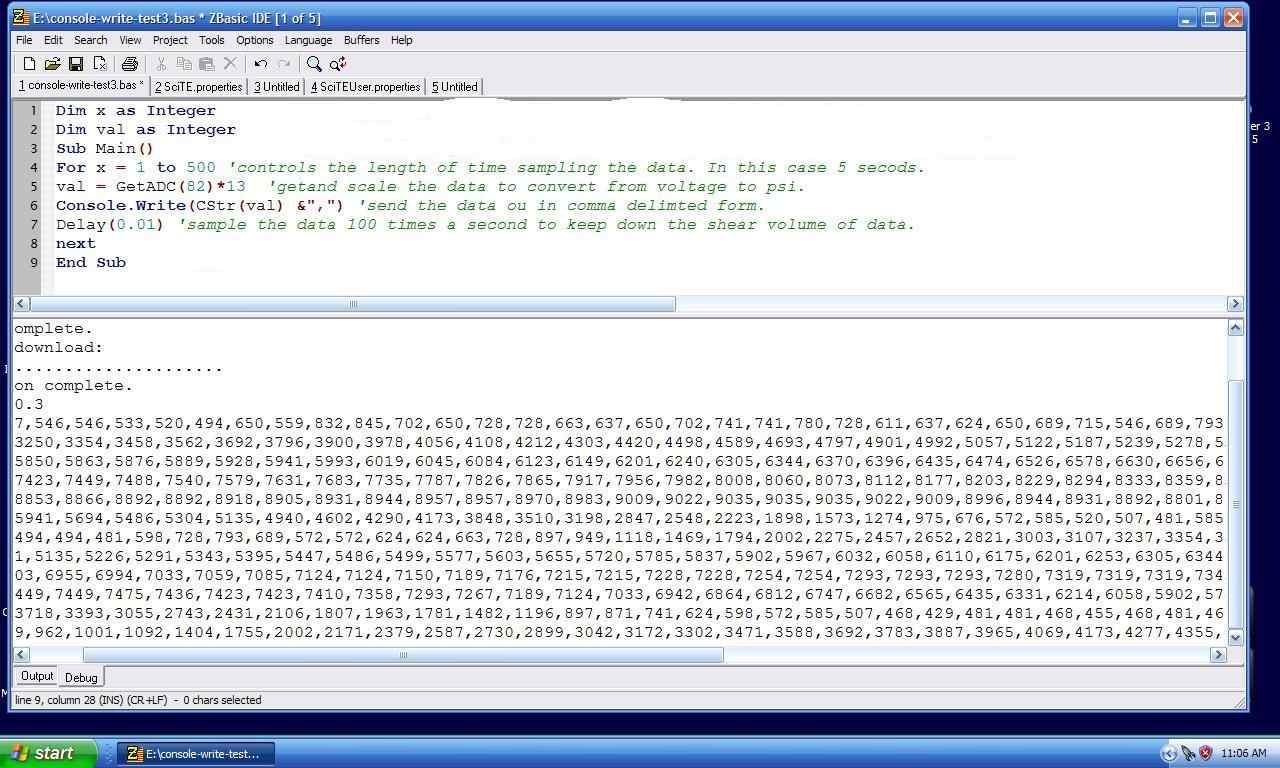
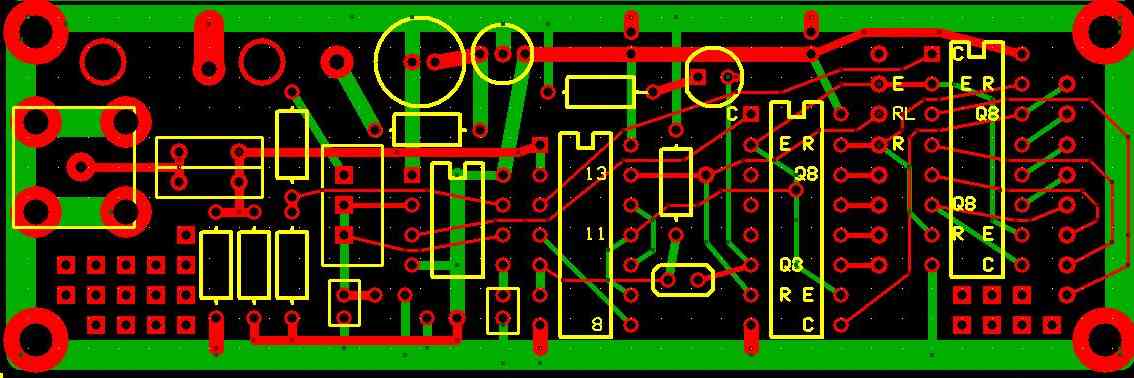
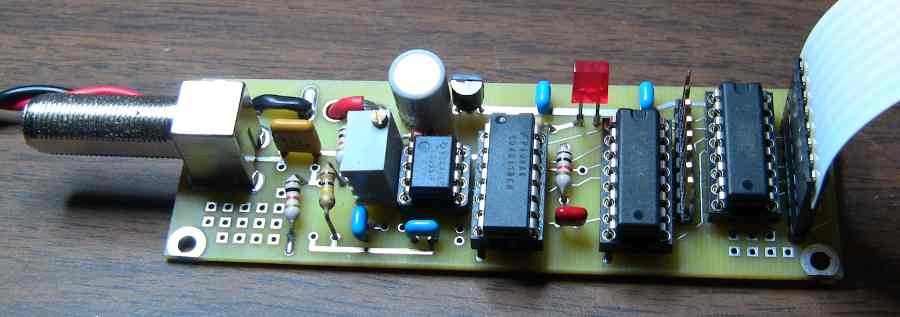
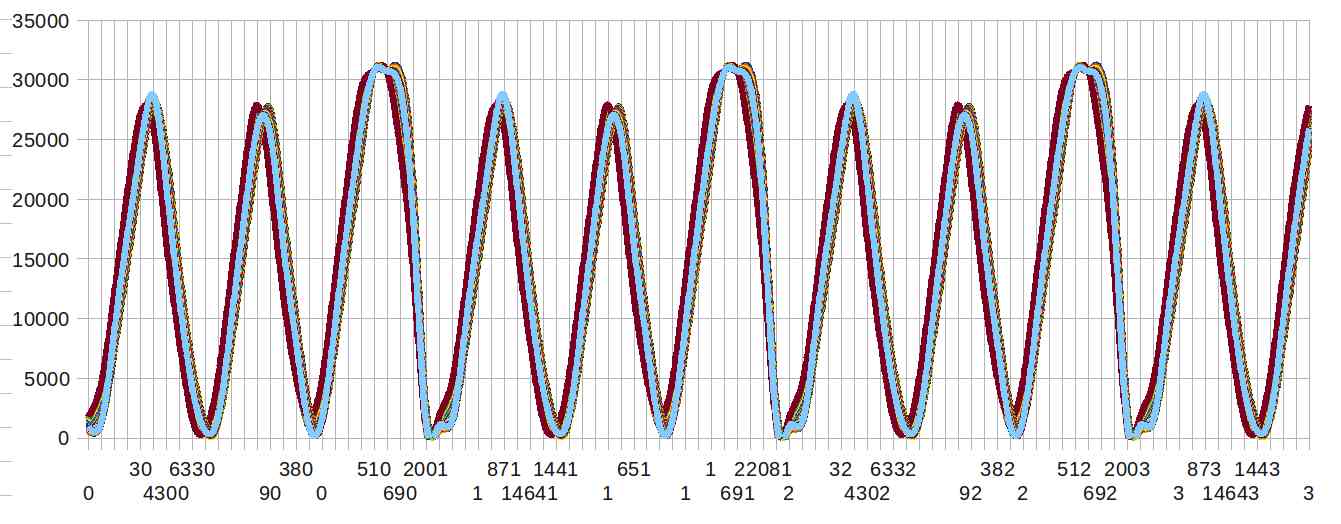
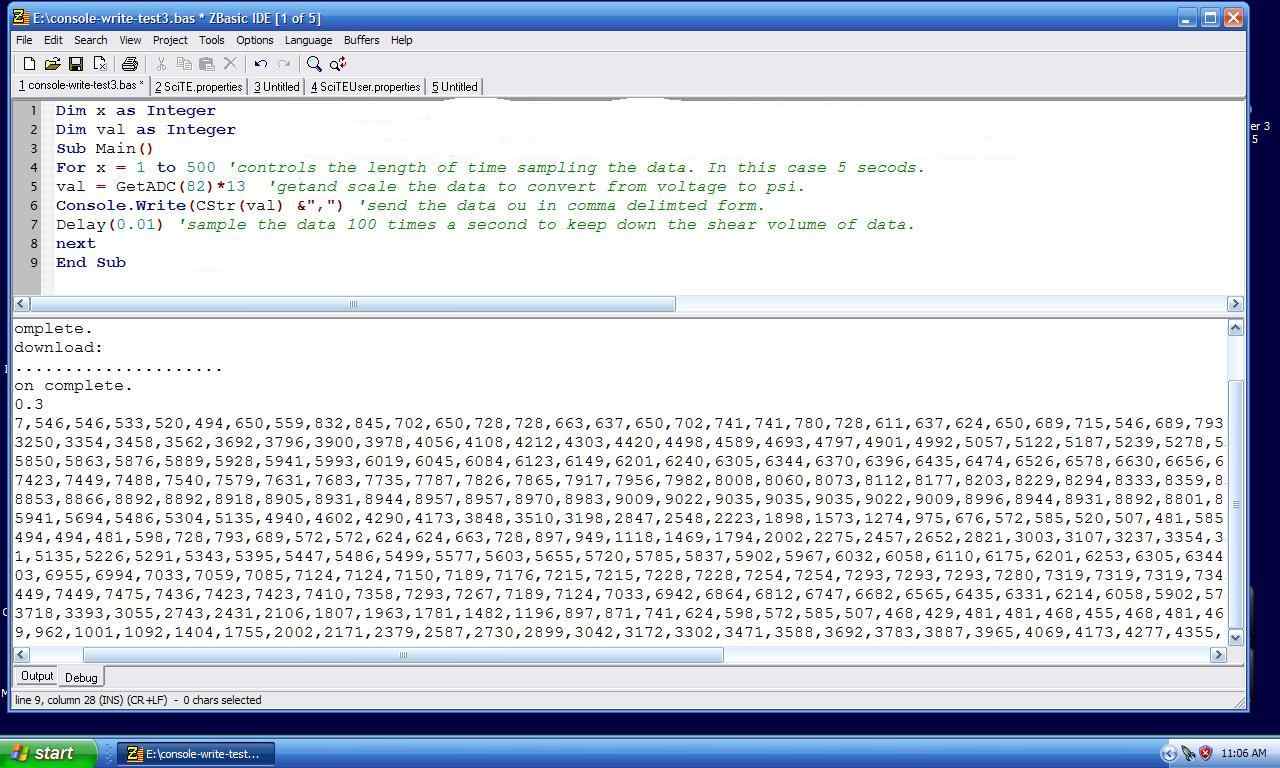
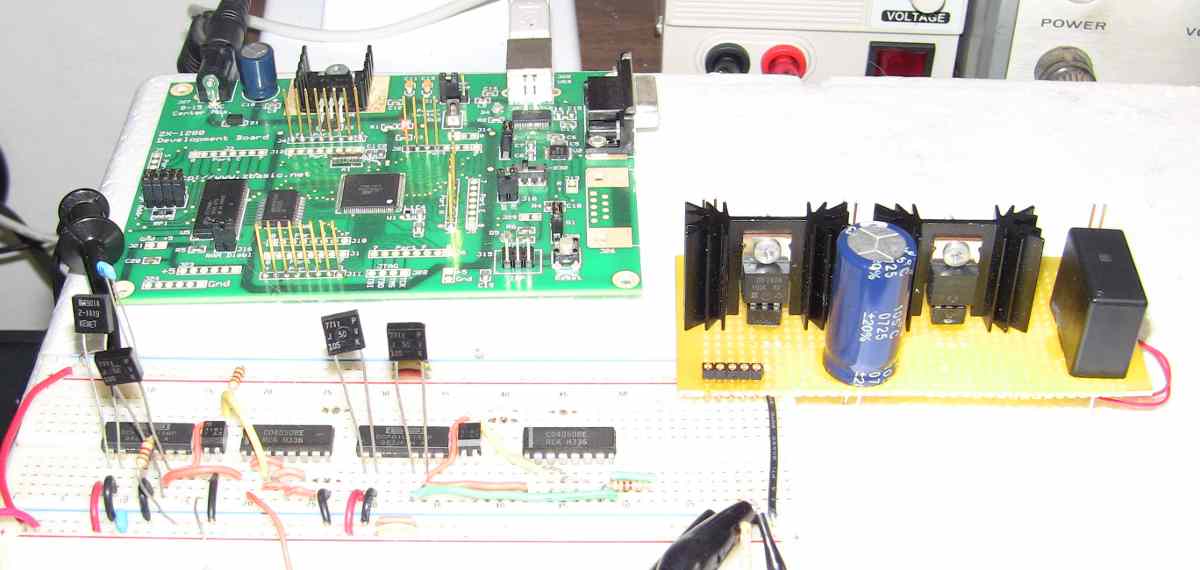
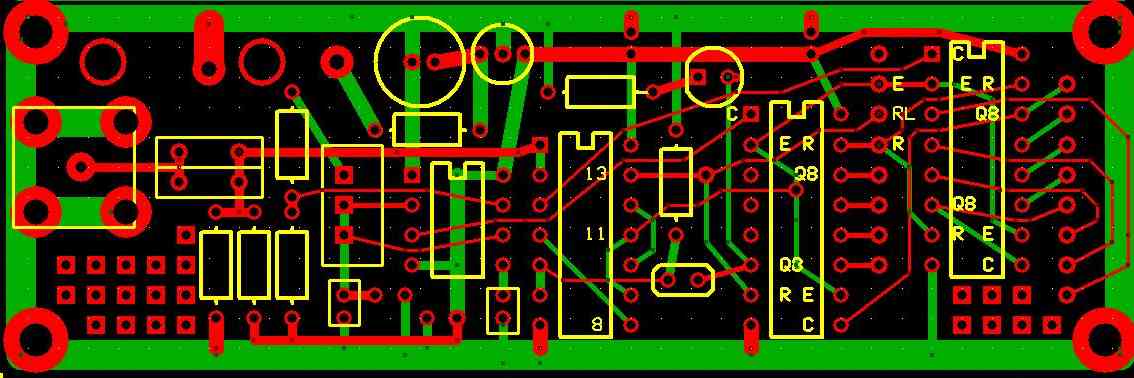
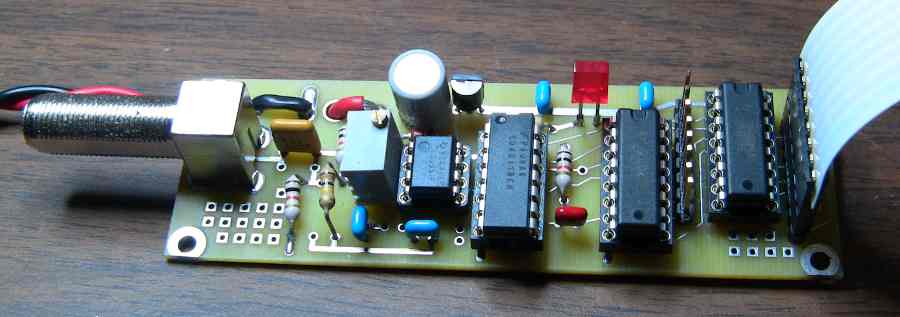
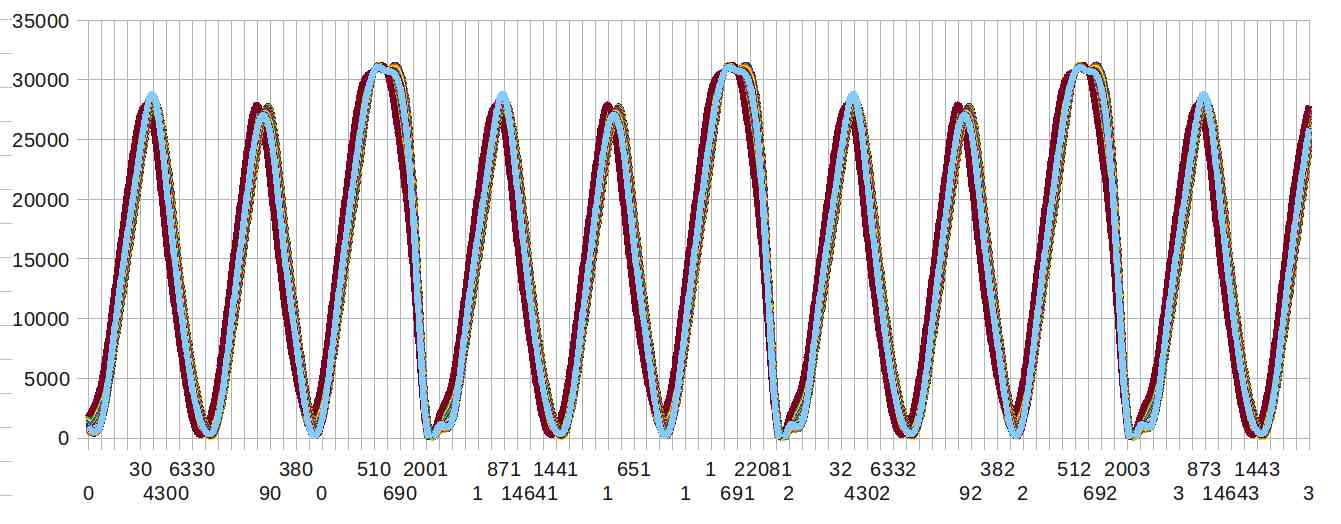
Here are some pictures. The RPM counter is a bit of hardware to rapidly
determine the RPM as the real time aspects of Zbasic are deficient
for counting jobs like that.
Here too is a code sample. For an EFI test rig.
Sub Main()
Call PutPin(12, zxOutputLow) ' pin 12 CAS 1 will be at logic zero
Call PutPin(13, zxOutputLow) ' pin 13 CAS 2 will be at logic zero
dim x as long
'check and wait for CAS 'Crank Angle Sensor
'do
for x = 0 to 3000000 'develop only
If (GetPin(12)=1) then
Call rotor1
end if
if (GetPin(13) = 1) then
Call rotor2
end if
'loop
next x 'develop only
end sub 'main
sub rotor1() 'it is 22 degrees BTDC
Call PutPin(14, zxOutputHigh) ' trigger ign rotor1
dim add1 as integer
dim add2 as single
dim add3 as single
add1 = GetADC(82) 'MAP sensor val must be an integer
add2 = CSng(add1)
add3 = add2/10.23
' fuel injection
' prepare for 100Hz Fast PWM using channel 2
Call OpenPWM(3, 250.0, zxFastPWM)
Call PWM(3, add3) ' generate PWM with
Debug.Print " = " & CStr(add3); 'send info to the host
Call PutPin(14, zxOutputLow) ' turn off ign trigger
end sub 'rotor1
sub rotor2() 'it is 158 degrees ATDC
'Debug.Print "rotor 2" 'send info to the host
End Sub 'rotor2
I don't like C. C is for stupid compilers that cannot understand English :)
Paul Lamar
--
The Rotary Engine NewsLetter. Powered by Linux.
ACRE NL web site.
http://www.rotaryeng.net
Youtube key word PaulLamar2
Copyright 1998-2011 All world wide rights reserved.