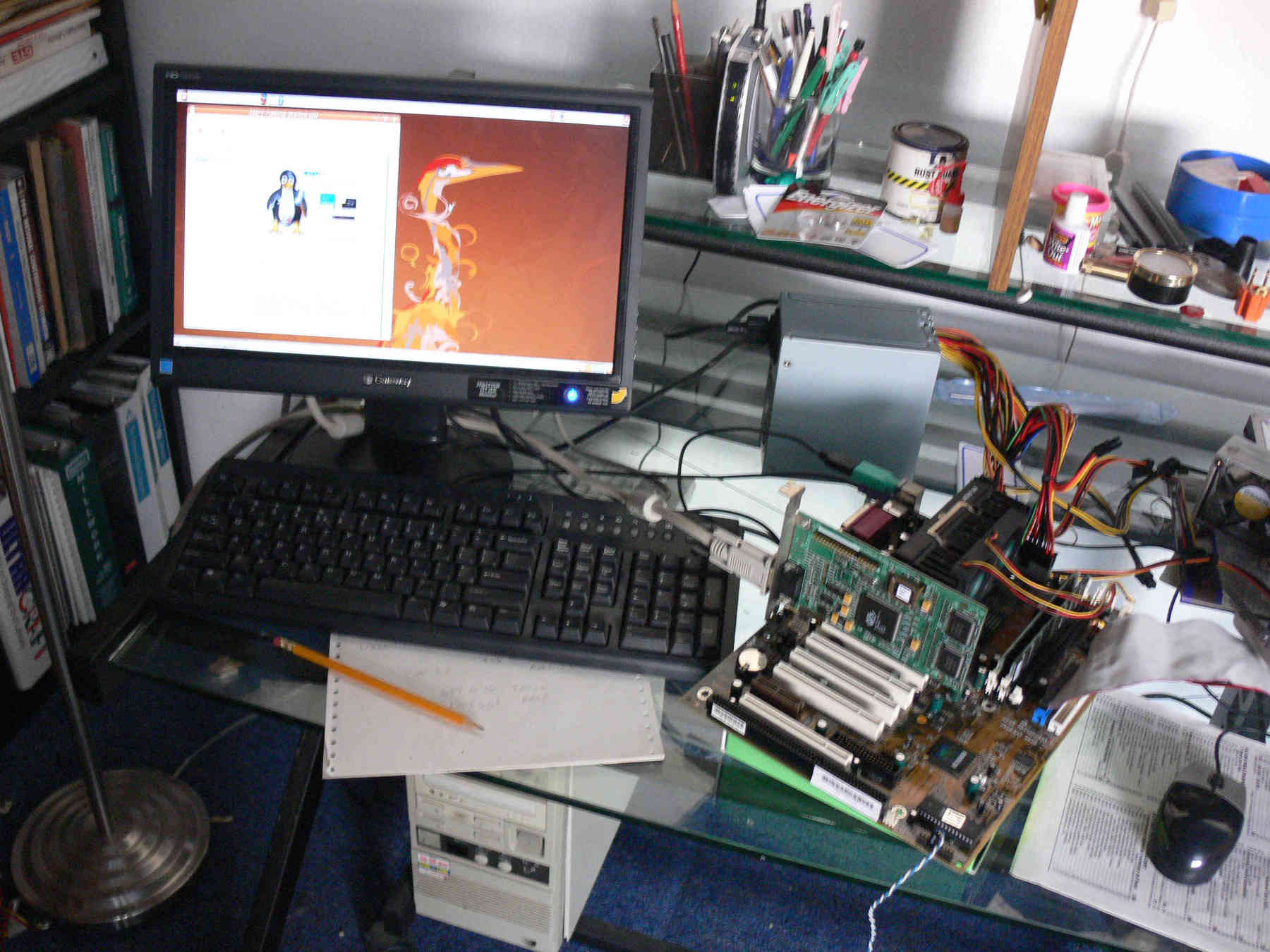
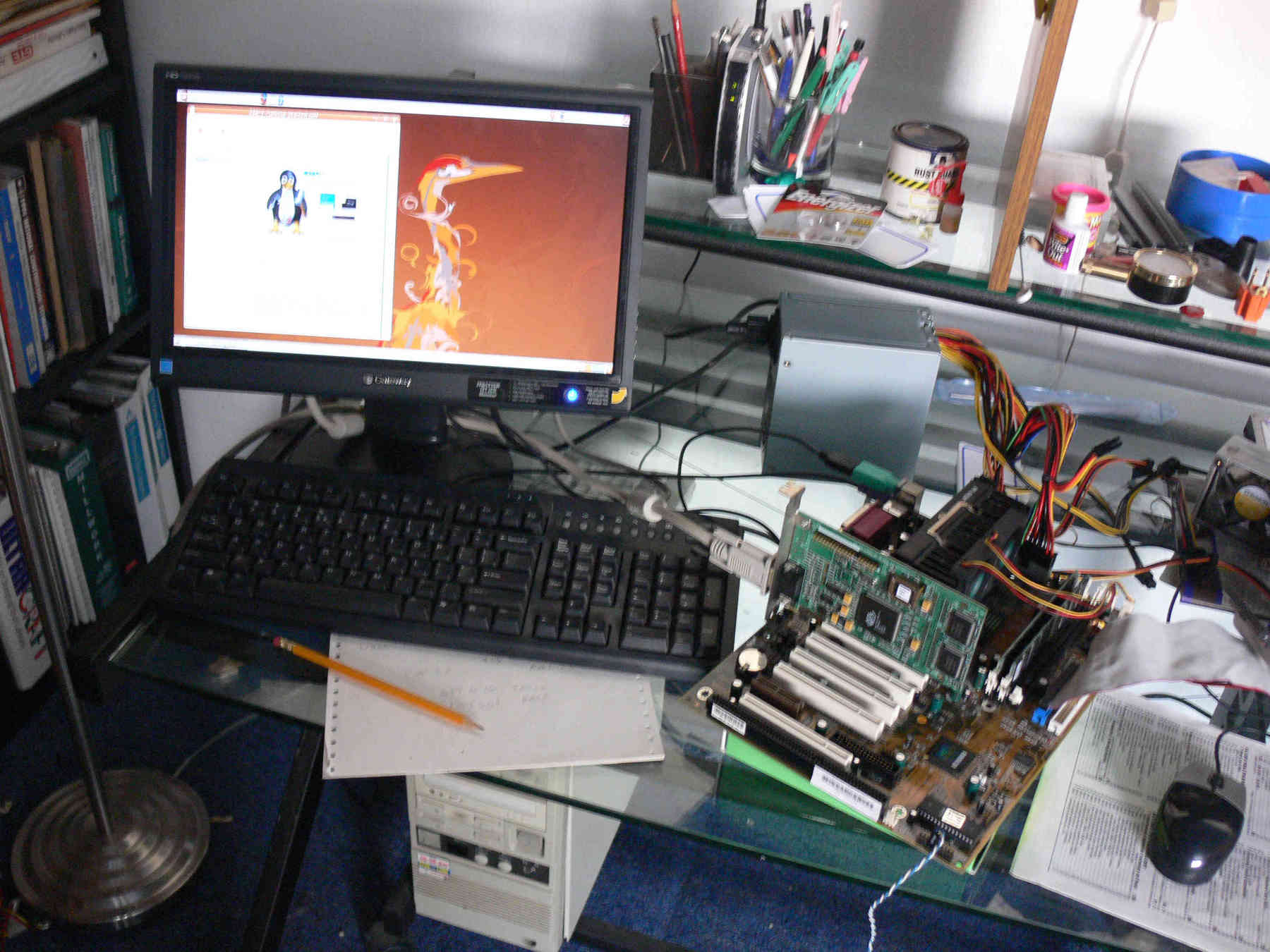
DOS? Are you crazy Paul? :)

 I was investigating Visual Basic for Windows and I was dismayed at the
 complexity.
 It is way over kill for what I want to do.
 Namely display engine parameters on a note book or net book screen in real
 time.
 Notebook and net book screens are very large in terms of number of pixels
 and cheap.
 They can display dozens of engine parameter in a relative small space.

 20 some odd years ago I wrote a fully functional aviation moving map program
 in Quick
 Basic that ran on DOS driven by a GPS using an RS232 serial interface.
 Unfortunately RS232 serial interfaces have disappeared off note book and net
 book
 computers.

 DOS is a close as anyone is going to get for a real time OS. The down side
 to DOS is
 it's limited  memory management capability. For for my use it is quite
 adequate.
 Running on a modern computer it is lightening fast bordering on
 instantaneous.

 The big stumbling block as I see it is the lack of support for USB serial
 ports.
 That has recently changed. Apparently there are other people out there that
 see the
 elegant beauty of DOS.

 Here is the break through.  http://www.georgpotthast.de/usb/

 Everything including a full blown EFI can be written in hours using simple
 to learn
 Quick BASIC. Quick BASIC is a compiled language and the programs are small
 and
 lightening fast. QB/DOS can handle real time hard ware interrupts which were
 used in
 my moving map program. The code is already written to read a USB GPS.

 To do an EFI system it is necessary to add hardware of course.
 One must design a USB interface board with addressable  bit ports to
 control
 injectors and coils. There are probably some on the market already if I
 bother to
 look. After that an amplifier must be added to control the injectors. That
 could be
 as little as an FET power transistor. The modern coils can be controlled
 with a
 computer level bit.

 Rather than spend 100's of hours learning VB I am going to look into this
 approach
 further. I have a real old IBM Think Pad that should run DOS no problem.

 No Henry, not the late one I just bought in Shenzhen China last week :)

 Paul Lamar

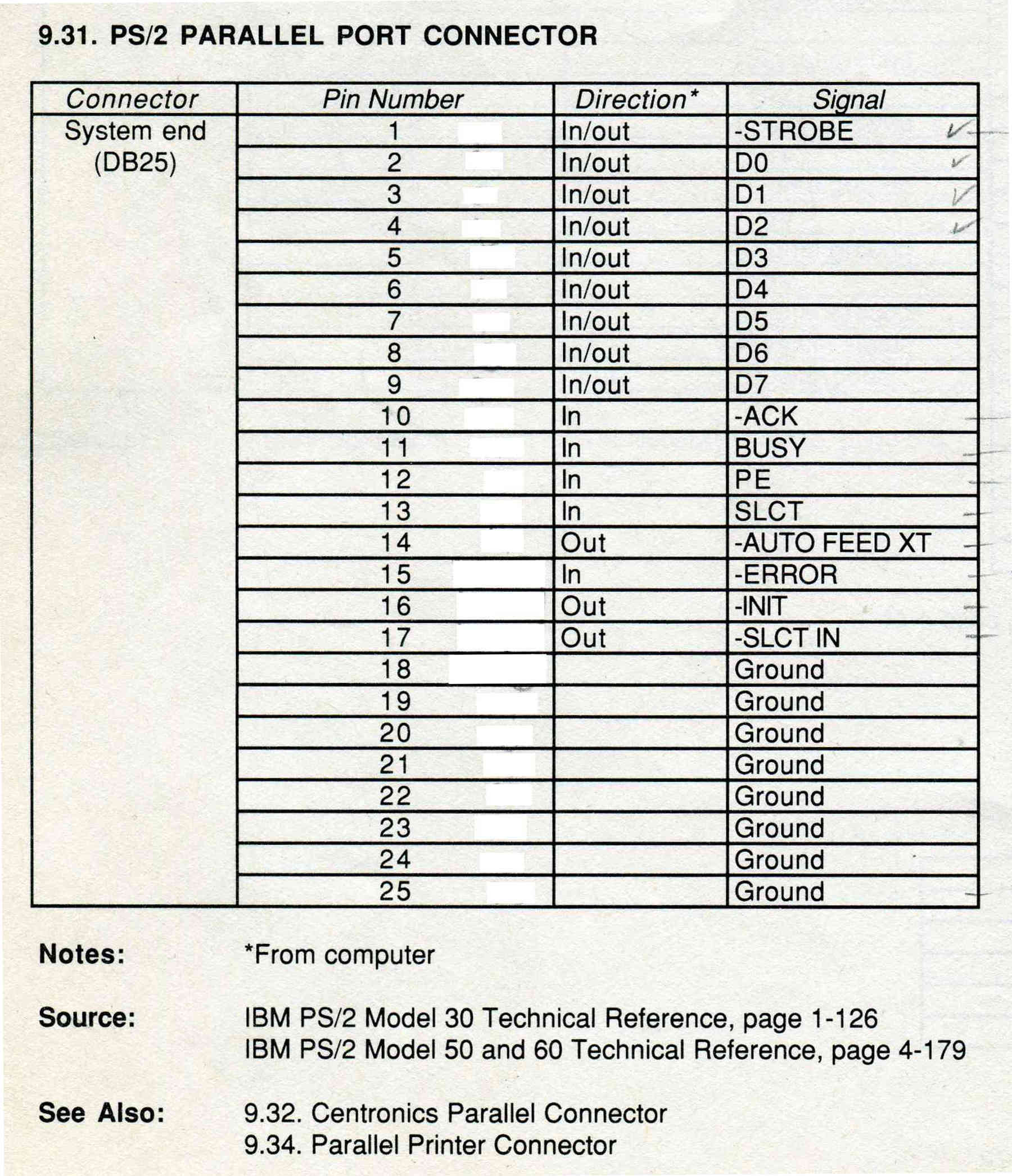
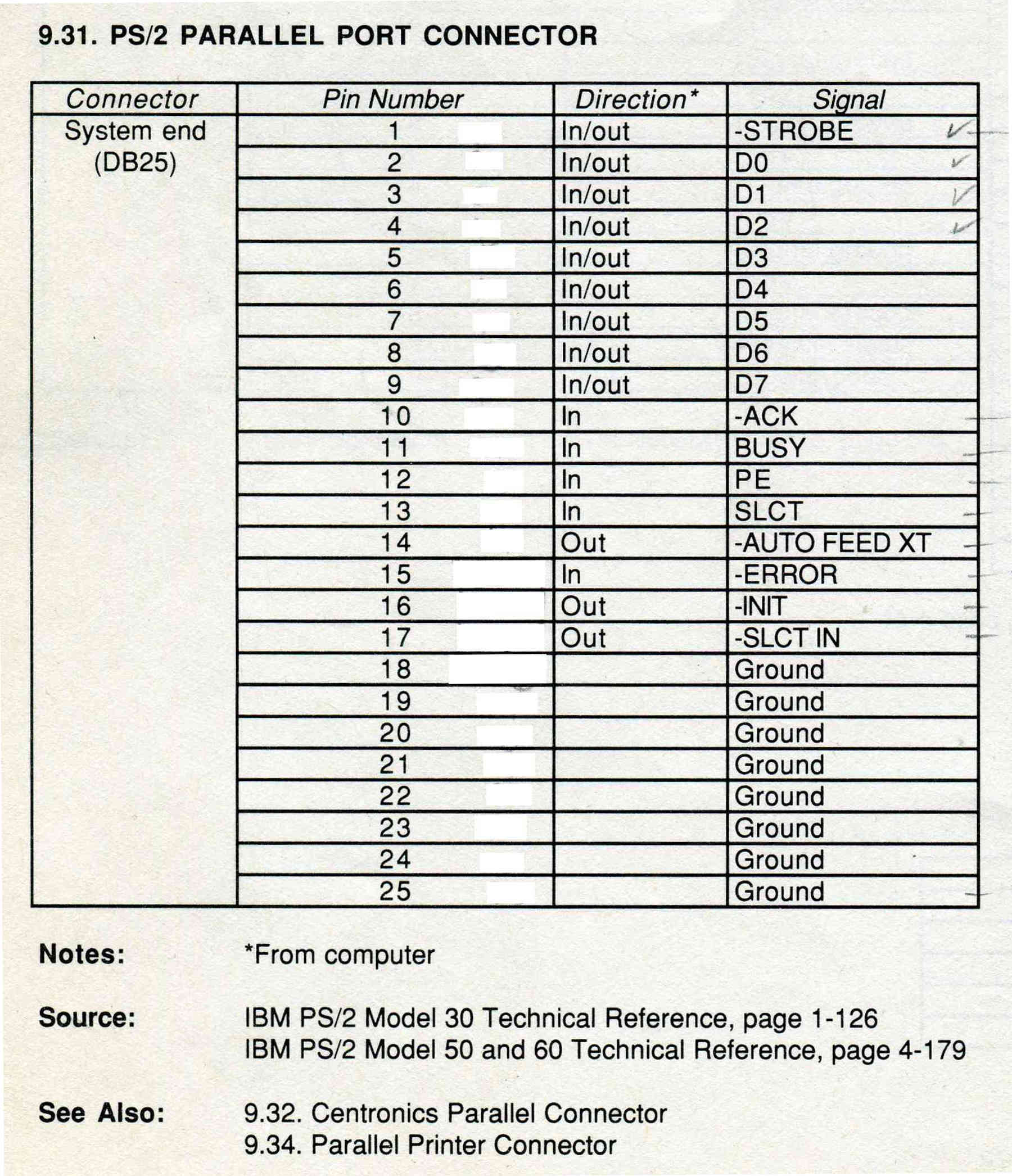
Here is the pin out for the 25 pin connector printer port on many old notebooks
suitable for running DOS/QB and using it as an EFI computer. Many cheap, less than
$100, small ATX mother boards also have a parallel printer port and would also work.

I need to experiment with input Pins 11 and 13 as potential CAS inputs.
QB would see that as an error hardware interrupt. I am sure this goes through the
assemble language BIOS routines and could be quite fast. I'll trigger these lines
with a signal generator and measure the time it takes the Think Pad computer to
respond. My guess it is down in the microseconds. The trick here is to get the HW
interrupt and have a QB program toggle an out put pin with the OUT or POKE QB
instructions. For those that don't have QB and are interested here it is in zip form.
It will run in a DOS or command line window under XP.

All the I/O pins 2 through 9 are self explanatory and would be used to trigger coils
and fuel injectors.

Don't throw those old notebook computers out just yet:)

Paul Lamar
--
The Rotary Engine News Letter. Powered by Linux.
ACRE NL web site. http://www.rotaryeng.net
You Tube key word PaulLamar2
Copyright 1998-2012 All world wide rights reserved.