Gentlemen,
You are making this thing to hard. Make you a CD copy (iso) of Puppy
Linux. Boot off of it and you should see your internal or external
drives at the bottom of the screen. Click on the drive and read the
contents. I copy the contents of drives to external usb drives
formatted to NTFS all the time. Puppy is your friend to diagnose
hardware/software problems. Great little OS to carry on that thumb
drive in your pocket.....just like a Swiss Army knife. Hope this helps.
Jim Brewer
I'll have to try that just to further my Linux education.
I have installed half a dozen different Linux distros recently looking
for the one I like the best.
So far Mint with Mate wins if it don't crash :) It does everything
including
running Cannon movies with a rare codec out of the box.
CentOS seems to be the most stable but it does not do a lot of
things like codecs, file type support and wireless module support.
I have it reading and writing NTFS however and I am using it hardwired to
the cable modem.
Paul Lamar
Open a terminal.
Type lspci in that terminal.
Send me the result.
Include the brand and model of your laptop.
Mark LaPierre
OK Asus A54C
Paul Lamar
I think I have found the right driver package for your wireless chip. I
need one more bit of information to verify that I have the right
package. I'm looking for the part that is in square brackets at the end
of this:
"PCI Express Gigabit Ethernet controller [10ec:8168]"
Please type this in a terminal and send the result.
lspci -nn | grep -i net
[mlapier@mushroom ~]$ lspci -nn | grep -i net
00:12.0 Ethernet controller [0200]: VIA Technologies, Inc. VT6102
[Rhine-II] *[1106:3065]* (rev 78)
[mlapier@mushroom ~]$
- Mark LaPierre
OK Here it is.
[root@localhost paul]# lspci -nn | grep -i net
00:19.0 Ethernet controller [0200]: Intel Corporation 82567V-2 Gigabit
Network Connection [8086:10ce]
[root@localhost paul]#
Paul Lamar
No, I need the one from the laptop. It's the line that says:
02:00.0 Network controller: Ralink corp. RT5390 Wireless etc....
Judging from the titles of the screen shots you sent it would appear
that the wired Intel Ethernet adapter is part of your desktop machine.
The wireless controller line starts with "02:00.0 Network controller."
The wired Ethernet adapters are named "Ethernet controller."
Mark LaPierre
Ok here is a screen shot
Paul Lamar
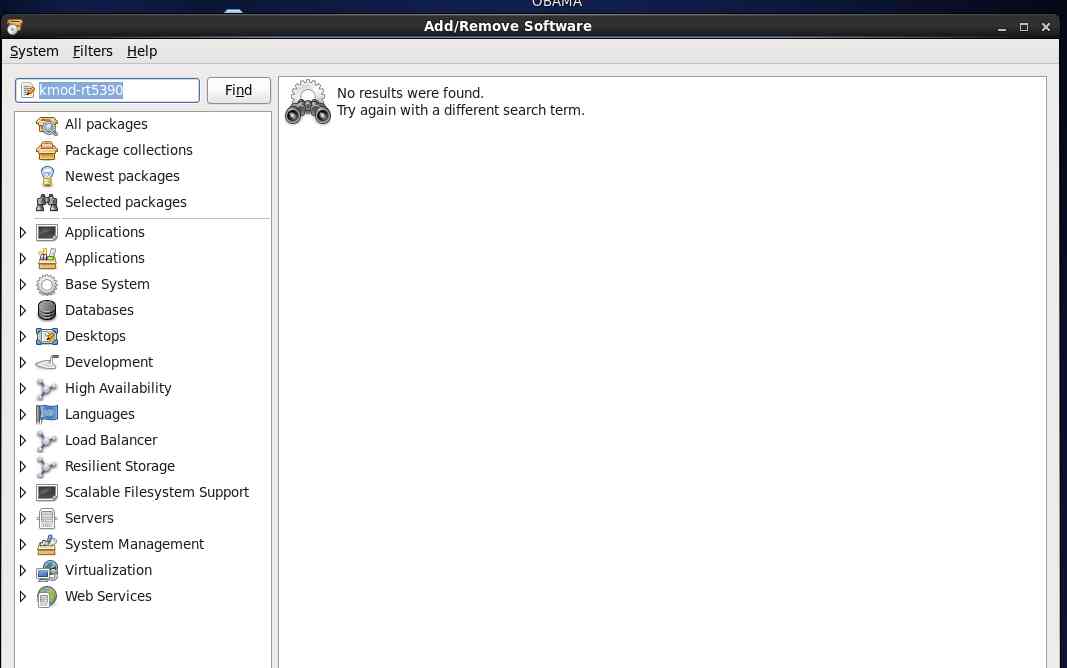
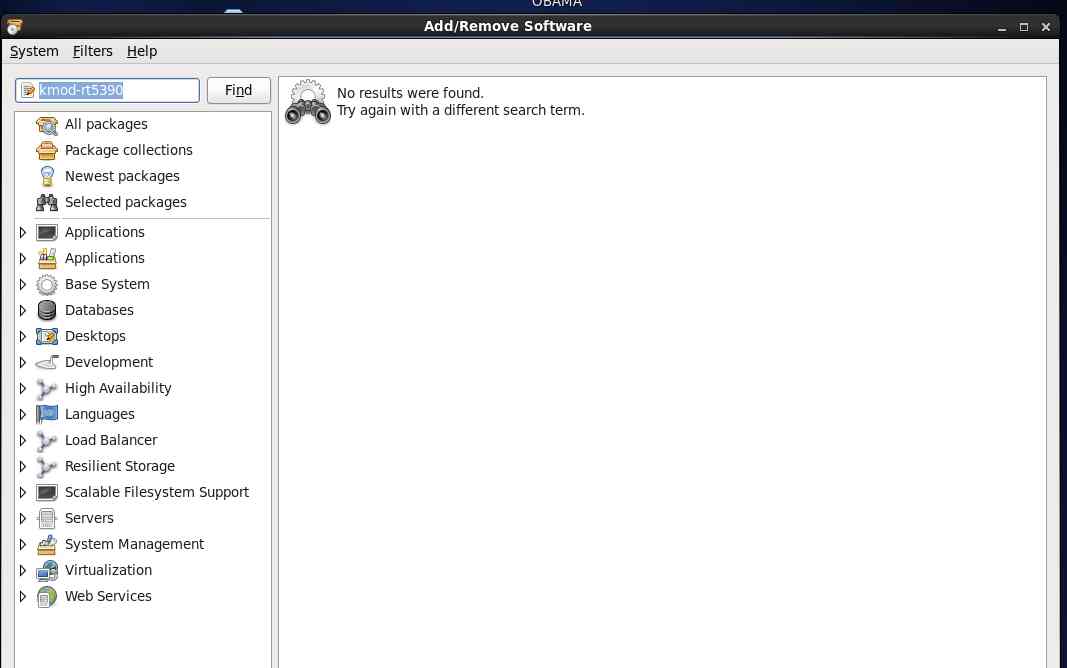
Go to System/Administration/Add Remove Software.
Put kmod-rt5390 in the search box and click the [Find] button.
Install the kmod-rt5390sta-2.5.0.3-1.el6.elrepo package.
It will require the correct firmware package which it will install along
with it automagically. A short reboot later and your wireless should
work. You may still have to configure it through network manager if
your using that, or manually if you choose. You set up the wired
connection so I figure you can configure the wireless on too.
-Mark LaPierre
No results were found. I don't need the wireless on the desktop anyway as I can
connect to the cable modem with the Ethernet wire. That is the only way to
administer the cable modem for wireless pass words and power out.
Paul Lamar
The Rotary Engine News Letter. Powered by Linux.
ACRE NL web site.
http://www.rotaryeng.net
You Tube key word PaulLamar2
Copyright 1998-2012 All world wide rights reserved.