George Grimes,
How do you get Rhino 4 to draw a tube from 3D point to 3D point,
3 does that fine.
Mine wants to put it on an orthogonal axis with a length.
Paul Lamar
Other than this problem which I am sure will be solved I am
extremely pleased to say the least with Rhino 4.
It can do these very large size renderings lickety split :)
Note the wonderful detail.
Paul Lamar
Draw path curve between points.
Use circle on curve function and create outer diameter of tube located at point.
Use another circle on curve function to create tube inner diameter located at the same point.
You should now have 2 circles representing the ID and OD located at one end point.
Using the extrude along curve function, don't forget the cap extrusion function switch extrude from point to point.
R J Skinner
Thanks. That worked. Another wonderful thing about Rhino is there is always
two or three ways of doing things. A professor friend of mine Scott Rabe, that
teaches Rhino among other things at Ventura College, told me yesterday that the
typical student starts having fun after 5 minutes with Rhino. I have spent 4 hours
in Solid Works class and we have yet to draw a part. SW won't even do lofted
compound surfaces like cowlings. No problem for Rhino.
Drawing a space frame in SW takes 5 pages of explanation in a 1100 page book.
It takes 2 minutes to learn in Rhino. See below.
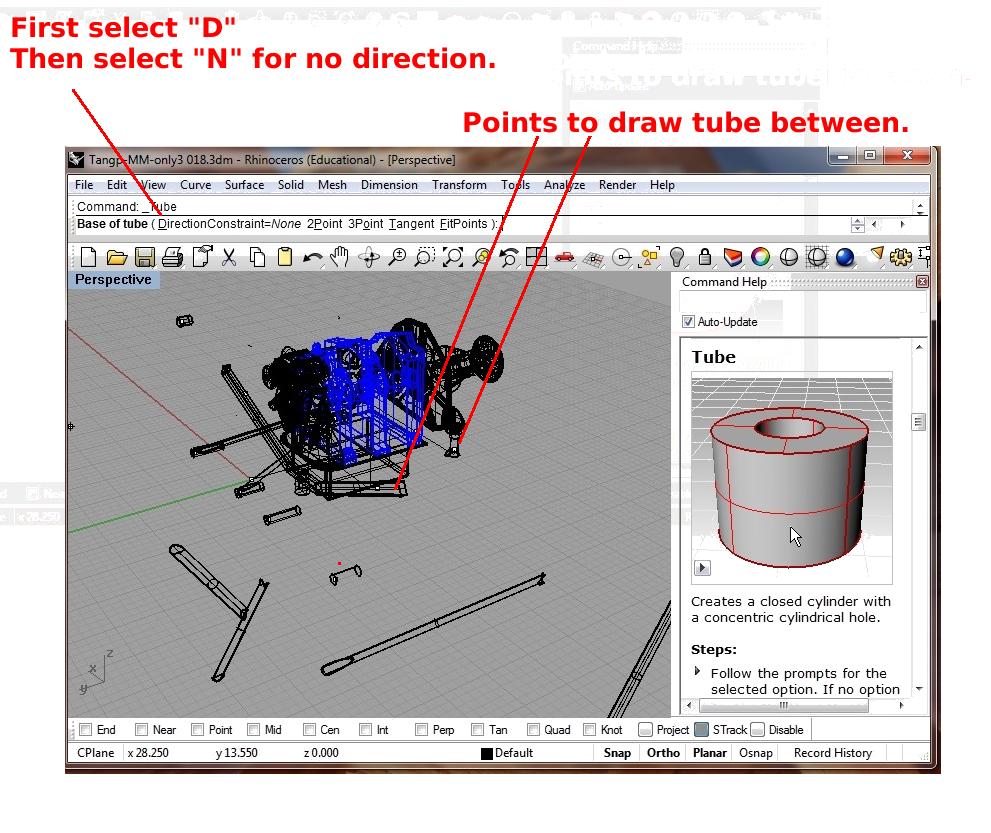
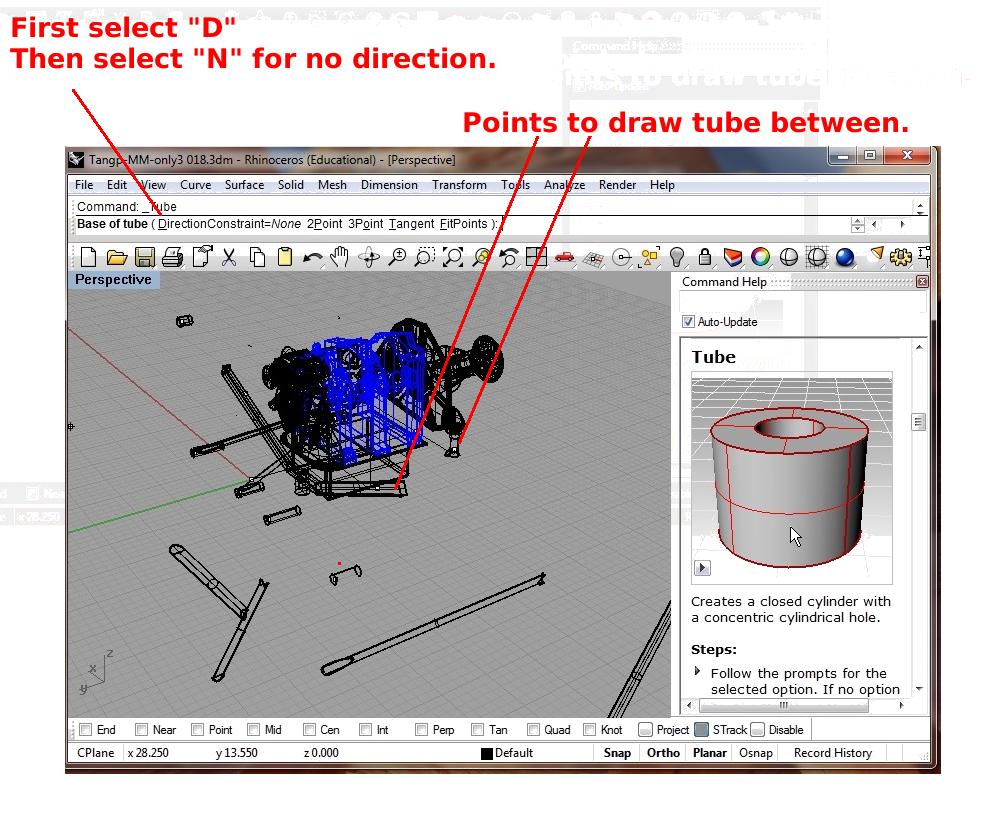
I figured out the above tube problem. RH4 added a two step selection process.
See the attached screen capture.
Paul Lamar