ARDUINO boards/chips are programmed with a bootloader. The developers
of the ARDUINO finally implemented the STK500V2 communications protocol.
This protocol is supported by Atmel and of course by BASCOM.
Select the ARDUINO STK500V2 programmer in BASCOM programmer options to
use this communications protocol.
A board like the MEGA2560 R3 uses this communications protocol and
probably all newer AVR based ARDUINO boards will support this protocol.
BASCOM AVR is superior to Arduino IDE. Bascom is simpler and much more
flexible. In fact, Bascom is the language used by the majority of hobbyists.
C is more for professionals.
https://www.youtube.com/watch?v=Ppdpp4pqeQc$regfile = "attiny26.dat"
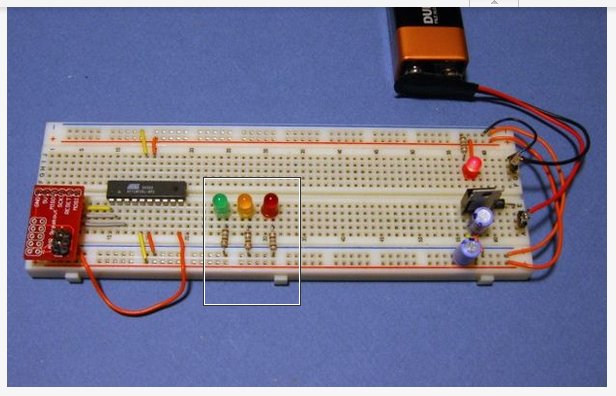
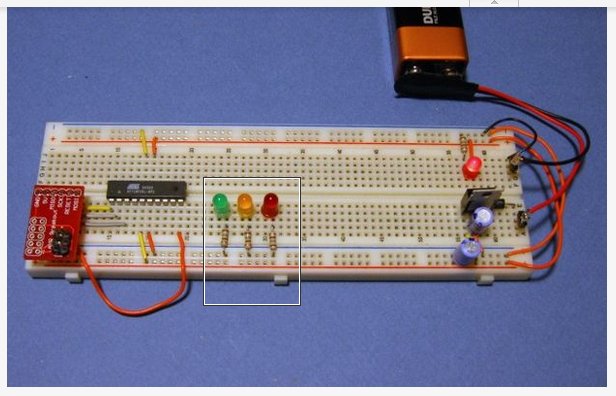
Simple blink program. Think of the LED's as injectors.
$crystal = 1000000
$hwstack = 32
$swstack = 8
$framesize = 24
Config PORTA = Output
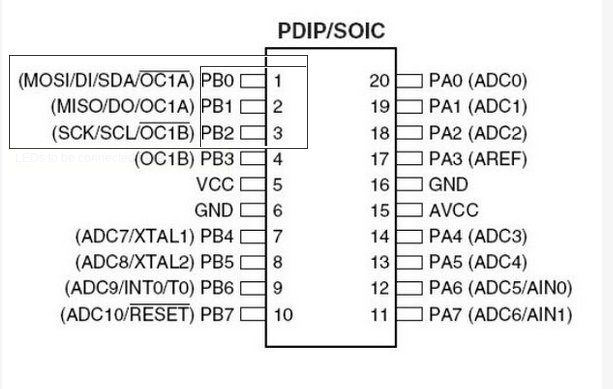
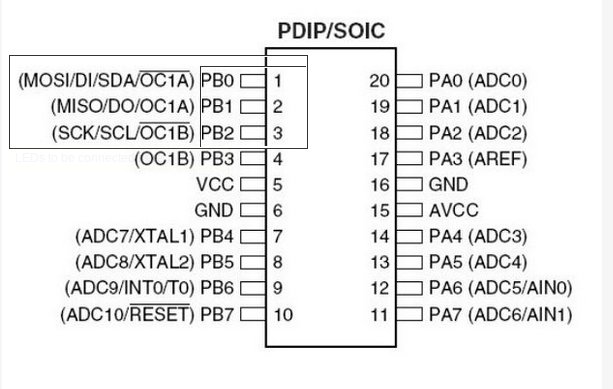
Config PORTB = Output
RED Alias PORTB.0
YEL Alias PORTB.1
GRN Alias PORTB.2
Begin:
Red = 1 : Yel = 0 : Grn = 0
Wait 1
Red = 0 : Yel = 1 : Grn = 0
Wait 1
Red = 0 : Yel = 0 : Grn = 1
Wait 1
Goto Begin
The first section sets up the chip, then we need to configure the two
ports. A port can be an INPUT or an OUTPUT. Since we want to run some
LEDs, we set the port to be an OUTPUT. May as well define them all at
one time... so we did.
The next section is where we define the pin names. I don't know about
you... but I would forget which pin the RED LED was connected to, or the
green, or the yellow. I don't feel like typing in *PORTB.0* for the
first pin every time... so we told the software that it's name was
"RED". Now all we need to do is reference it by it's name.
Once defined, if we make them equal a "1" the LED will turn ON, and if
we make it equal to a "0" it would turn OFF. The next series of lines
defines how we want the LEDs to be set, then waits 1 second. (The
*WAIT*
command.)
After we change the state of the LEDs 3 times... we jump back to the
beginning and do it all over again... over and over.
This is simple enough for every one and a simple open source EFI is very
doable.
Paul Lamar
The Rotary Engine News Letter. Powered by Linux.
ACRE NL web site.
http://www.rotaryeng.net
You Tube
http://tinyurl.com/beqqxas
Copyright 1998-2014 All world wide rights reserved.